
List Your Business
Create your business profile with services, photos, pricing, branches, and working hours to build trust and attract more customers.
Progress25%
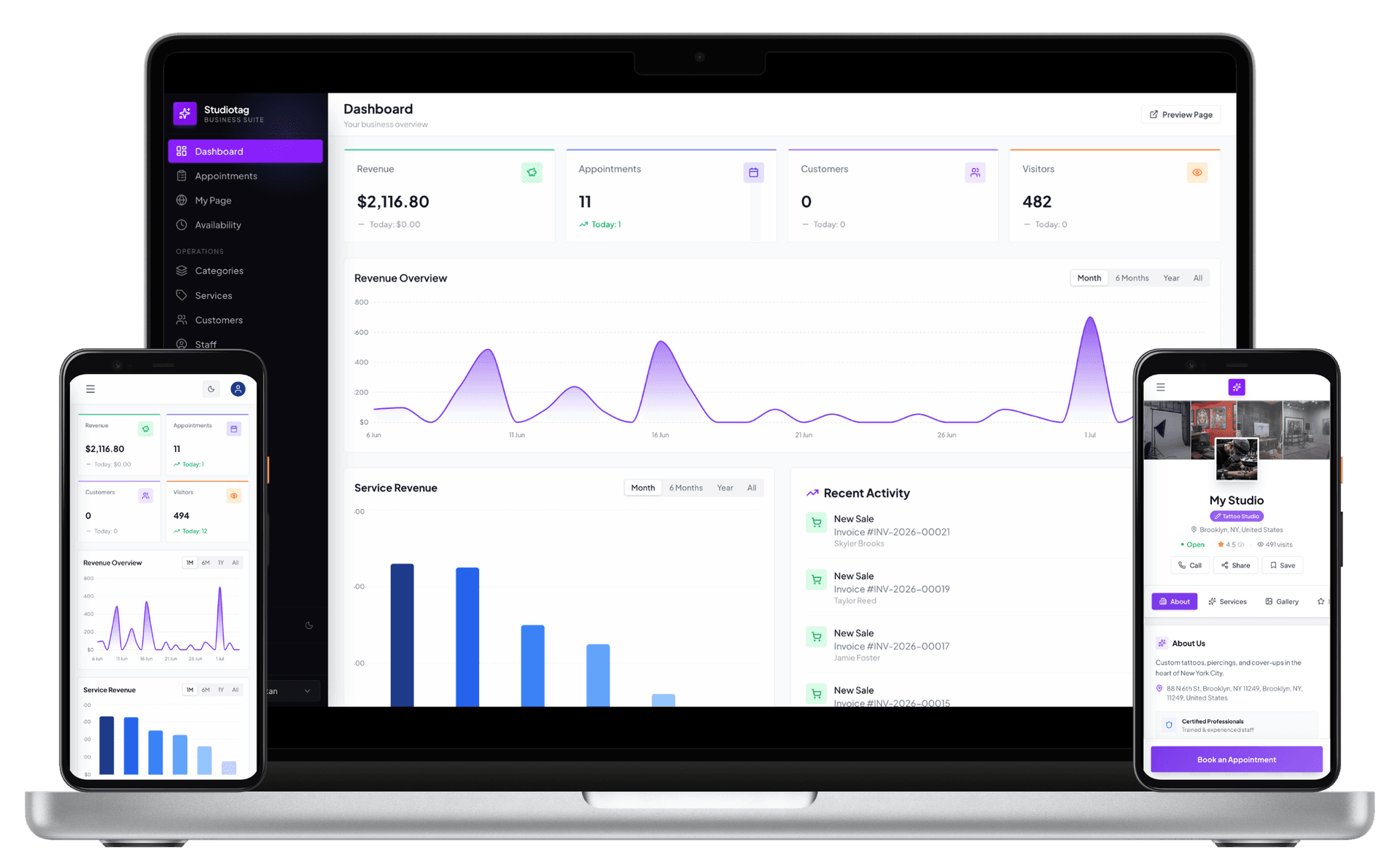
Manage Salon appointments, online booking, POS billing, client CRM, staff schedules, payroll, suppliers, and Salon reports from one connected platform built for modern Salons.
24/7
Online Booking
POS
Built-in Billing
Live
Analytics
Free
Customer Portal
Salon Software is now part of Studiotag
VisitHow it works
Create your business profile with services, photos, pricing, branches, and working hours to build trust and attract more customers.
Share your booking page anywhere. Customers browse your services, check live availability, and book appointments 24/7.
Run appointments, POS billing, customer records, staff, payroll, supplier management, and daily operations from one connected dashboard.
Monitor revenue, bookings, popular services, and staff performance with real-time reports that help you make smarter business decisions.
Salon Management Software Features
About
Portfolio, reviews, location, and real-time slots on one public booking page.
Accept bookings 24/7 with a professional booking page featuring your services, gallery, pricing, and live availability.
Open
Booked
Done
Manage online bookings, walk-ins, and staff schedules from one shared calendar while preventing double bookings.
Showcase your services with pricing, durations, categories, and descriptions to help customers book with confidence.
Ava Mehta
Active client
$490
spent
Active
status
Online
source
Automatically build customer profiles, track appointment history, and deliver more personalized service every visit.
Invoice #208
GST ready receipt
Split tender
Turn appointments into invoices, accept payments, and generate professional receipts from one connected POS system.
2 branches
3 branches
4 branches
Organize your team with staff profiles, branch assignments, schedules, and performance tracking from one dashboard.
6
roles
14
logs
2FA
ready
Give every team member the right level of access while protecting sensitive business information.
Friday run
$485
commission
Automatically calculate salaries, commissions, and incentives based on completed work and simplify every payroll cycle.
Active
Branch
Saved
Keep supplier contacts and vendor information organized so your team can quickly find the right supplier.
4
branches
38
bookings
$2.1K
central
Manage multiple branches from one dashboard while keeping staff, appointments, and reports organized.
$6.4K
Revenue
186
Bookings
72%
Retain
Track revenue, bookings, services, and staff performance with real-time reports that help you grow.
Self-service
Appointment
Tattoo consult, 11:30
Invoice #105
Receipt downloaded
2
upcoming
5
invoices
4
saved
Give customers secure access to appointments, invoices, and booking history through a self-service portal.
Salon Management Software Features
Running a salon or spa involves far more moving parts than a single appointment book can hold. Bookings arrive by phone, by walk-in, and increasingly online, and all of them need to line up against the real-time availability of several stylists, therapists, or technicians working across different chairs, rooms, or even branches. A paper diary or a shared spreadsheet was never built to handle that kind of coordination. It cannot warn a receptionist that a colorist is already booked, cannot adjust automatically when a client reschedules, and offers no way for customers to check open slots themselves outside business hours. As a salon grows from a single chair to a multi-location business, the cracks in manual scheduling widen: double bookings become more frequent, staff lose track of who is assigned where, and front-desk teams spend a disproportionate part of their day just managing the calendar instead of looking after clients.
Beyond scheduling, a salon runs on information that manual systems were never designed to store or connect. Client preferences, past services, and spending history often live in the memory of individual stylists rather than in a shared record, so the quality of service a customer receives depends on which staff member happens to be on shift that day. Billing handled through disconnected registers or generic accounting tools makes it difficult to apply tax correctly, reconcile daily takings, or understand which services are actually driving revenue. Inventory gets reordered by instinct rather than by data, leading to product wastage or stockouts at the worst possible moment. Staff attendance, commissions, and performance are tracked in separate notebooks or spreadsheets that rarely agree with one another, creating friction at payroll time and making it hard to reward the people actually driving results. Generic calendar or CRM tools built for other industries can paper over a few of these gaps, but they were never designed around the specific rhythm of a salon floor, where multiple resources are booked in parallel, pricing is service based, and client relationships are the product itself.
Salon Software exists to bring these separate, error-prone processes into a single connected system built specifically for the way salons operate. Instead of juggling a booking diary, a client notebook, a billing machine, and a stack of staff spreadsheets, an owner or manager works from one platform that treats appointments, staff, services, clients, and payments as parts of the same business. That focus matters: features such as shared staff calendars, service menus with accurate durations, and client history tied directly to bookings are not general-purpose add-ons but the reason the software was built in the first place. For any salon that has outgrown pen and paper, or that has tried to stretch a generic spreadsheet or scheduling app further than it was designed to go, dedicated salon management software removes the guesswork and the manual reconciliation, replacing them with a system organized around how a salon actually works day to day, from the moment a booking is made to the moment an invoice is settled.
The most immediate benefit salons notice after adopting a dedicated platform is time. Front-desk staff stop spending their day flipping between a booking diary, a phone, and a billing pad, because appointments, client details, and payments all live in the same place. Online booking pages let clients reserve a slot at any hour without a call, which cuts down on interruptions during busy periods and reduces the number of missed opportunities that come from a phone going unanswered. Automated reminders sent by SMS or email mean fewer clients simply forget their appointment, and rescheduling takes a few taps instead of a round of phone tag. Owners and managers gain time too, since reports on bookings, revenue, and staff performance are generated automatically rather than assembled by hand at the end of the week.
Accuracy improves alongside speed. A shared calendar that shows every staff member's real-time availability makes double-booking far less likely, and walk-ins can be slotted in without disrupting appointments that are already confirmed. Billing tied directly to the services rendered keeps invoices, tax handling, and payment records consistent, which simplifies reconciliation and reduces the small discrepancies that add up over a month of manual entry. Because client profiles capture visit history, preferences, and past spend automatically, any staff member can pick up a returning client's file and deliver a consistent, personalized experience rather than relying on memory. That consistency shows up directly in customer experience: clients feel recognized, appointments run closer to schedule, and communication about bookings, offers, or loyalty rewards reaches them without extra manual effort from staff.
These operational gains tend to compound into steadier revenue and a more organized business overall. Analytics on service popularity, peak booking times, and staff performance give owners a clear basis for decisions such as adjusting pricing, staffing shifts, or promoting underused services, instead of relying on gut feeling. Marketing tools built into the platform, including loyalty programs and targeted campaigns, make it easier to bring clients back and to reach new ones without maintaining a separate system for outreach. Inventory tracking helps reduce wastage and avoid last-minute stock shortages that can disrupt a service mid-appointment. On the staff side, clear attendance records, commission tracking, and performance data make payroll faster to run and fairer to apply, which supports better retention. For businesses managing more than one branch, having every location's schedules, sales, and inventory visible from a single system makes it possible to spot problems and opportunities early rather than discovering them weeks later, and it lets an owner compare branches on equal footing instead of piecing together separate reports from each site. Team roles and permissions also mean that staff see only what is relevant to their job, which keeps day-to-day operations tidy as a salon adds more people and more locations. Taken together, these benefits let a salon spend less energy on administrative friction and more on the service quality and client relationships that actually grow the business, with the platform handling the coordination work in the background so staff and owners can focus on the floor.
Managing appointments by hand, through a paper diary, a wall calendar, or a scattered mix of phone calls and messaging apps, quickly becomes unmanageable once a salon has more than a handful of staff and clients. Salon Software replaces that patchwork process with a single scheduling hub where every booking, staff assignment, and service detail lives in one place, visible to anyone at the front desk who needs it. Instead of searching through a notebook or cross-checking several different apps to see who is free, staff can glance at one shared calendar and immediately understand the shape of the day. Adding a new client takes seconds, since the system captures contact details once and reuses them for every future visit. Assigning the right stylist, colorist, or therapist to the right service becomes a matter of selecting from a filtered list of qualified, available staff rather than relying on memory or a printed roster taped to the wall. The result is a booking process built around clarity rather than improvisation, freeing staff to spend less time coordinating logistics and more time actually attending to the clients in front of them.
Because the platform ties scheduling directly to the services and staff menu, booking an appointment automatically pulls in accurate service durations, pricing, and staff availability, so there is no need to manually calculate how long a treatment will take or flip to a separate document to check who performs it. This connection between the service catalog and the calendar means a receptionist booking a color and cut does not have to guess at timing or double check with a stylist mid-conversation with a client; the system already knows. Clients can also book themselves through the salon's own online booking page, which feeds directly into the same calendar used by the front desk, keeping every channel in sync rather than existing as a separate, disconnected list that someone has to reconcile later in the day. Whether an appointment originates from a walk-in at the counter, a phone call, or a self-service booking made at midnight, it appears instantly on the shared schedule with the same level of detail and accuracy, so nothing has to be re-entered or cross-checked by hand before the day begins.
This unified approach also reduces the training burden for new staff, since there is one consistent workflow for creating, editing, and confirming appointments rather than separate systems or habits for different booking sources that a new hire has to learn independently. Over time, the accumulated appointment history feeds into client profiles and reporting, giving salon owners a clearer picture of booking patterns, busy periods, and popular services without any extra administrative work layered on top of the booking process itself. The overall effect is a booking experience that feels effortless for the team running it and straightforward for the clients using it, even as the salon adds more staff, introduces new services, or opens additional branches. Instead of growth adding scheduling complexity, the same simple process scales alongside it as the salon expands.
No-shows are one of the more quietly expensive problems a salon faces, because a missed appointment usually means an empty chair that could have been filled by another client, along with wasted preparation time and lost revenue for that slot. Salon Software addresses this by automating the communication that normally falls through the cracks when reminders depend on a busy receptionist remembering to call or text each client individually. Once an appointment is booked, whether by staff or by the client directly, the system can trigger automatic SMS and email reminders ahead of the scheduled time, giving clients a clear, timely nudge without anyone on the team having to keep track of who needs to be reminded and when. Because these reminders are generated directly from the booking record, they are always accurate and up to date, even on a day when the front desk is too busy to think about tomorrow's schedule at all. Salons can typically decide how far in advance a reminder goes out and adjust the wording to match their own tone, so the automation still feels like a personal message from the salon rather than a generic notification.
Beyond reminders, the platform gives salons real visibility into client behavior over time rather than relying on staff memory. Client profiles track visit history, so staff can quickly see patterns such as repeated late cancellations or missed appointments and address them proactively, whether through a courtesy call before the next booking, a deposit policy for clients with a history of no-shows, or simply a candid conversation the next time that client comes in. Online booking pages also reduce a common, less obvious cause of no-shows: miscommunication about the date or time of the appointment. When clients choose their own slot and receive an instant, written confirmation rather than a verbal agreement over the phone, there is far less room for the kind of misunderstanding that quietly turns into a forgotten appointment weeks later. Recognizing these patterns early also gives salon owners a chance to have a constructive conversation with a client before frustration builds on either side, rather than simply losing that client's business without ever understanding why.
The self-service portal further supports attendance by letting clients view their upcoming appointments at any time and reschedule ahead of their visit if their plans change, rather than simply not showing up and leaving the salon to wonder what happened. This turns a potential no-show into a rescheduled visit, which keeps revenue on the books and keeps the calendar accurate for staff planning and inventory preparation alike. Combined, these tools do not promise to eliminate no-shows entirely, since some will always happen for reasons outside anyone's control, but they remove many of the everyday gaps in communication, memory, and follow-up that typically cause them, helping salons protect both their schedule and the time their staff have set aside for each client. Because fewer slots sit empty at the last minute, staff schedules stay more predictable, which also supports steadier commission income for staff who are paid in part based on the appointments they complete each day.
Clients today expect the same convenience from a salon that they get from booking a restaurant table, a flight, or a doctor's visit online, and the booking page built into Salon Software is designed around that expectation rather than around the salon's internal operations. Instead of calling during business hours and waiting on hold while a receptionist juggles other clients at the counter, a client can browse available services, see real-time availability, and choose the appointment slot, staff member, and treatment that suits them, all from their phone or computer whenever the idea occurs to them. This self-directed process removes friction at the exact moment a client has decided they want to book, rather than asking them to remember to call back later, which is often when the intention to book quietly disappears. This is especially true for younger clients who have grown up expecting to handle most transactions through an app or a website, but the convenience matters just as much to busy professionals and parents who simply do not have time to sit on hold during the day.
The experience continues well after the booking itself is made. Automatic confirmations and reminders keep clients informed without any extra effort on their part, and the customer portal gives them a place to review upcoming visits, check past services, or make changes if their plans shift. Because service details, pricing, and staff information are accurate and consistent across the platform rather than varying depending on who happens to answer the phone, clients are not left guessing about what a treatment includes, how long it will take, or what it costs, which builds a sense of trust and professionalism before they even walk through the salon door. Clients can also see which staff members are available at a glance, compare a few different time slots, and pick whichever fits their day best, rather than being offered only the one option a receptionist happens to suggest over the phone.
This convenience also extends to how personally a salon can treat returning clients, which is often what separates an average visit from a memorable one. Since booking data feeds into client profiles that capture preferences and visit history, staff can prepare for appointments in advance, recall a client's usual stylist or preferred products, and offer a more tailored experience once the client arrives rather than starting from scratch every time. The combined effect is a booking journey that feels modern, convenient, and respectful of a client's time, from the moment they discover an open slot online to the moment they leave the salon satisfied, which in turn supports client loyalty, positive word of mouth, and repeat visits over the long run. Even something as simple as receiving a polished, professional confirmation message rather than a hurried verbal promise reinforces the sense that the salon is well organized and takes each booking seriously, which matters to clients deciding where to spend their time and money.
A salon's front desk is only staffed for a limited number of hours each day, but client demand does not follow the same schedule, and plenty of people only think about booking a haircut or a facial once they are home in the evening or scrolling on their phone late at night. Salon Software solves this mismatch with an online booking page that stays live around the clock, letting clients reserve a slot whenever it suits them, whether that is early morning before work, late at night after the kids are asleep, or on a day the salon itself is closed. The booking page reflects real-time availability drawn directly from the shared staff calendar, so what a client sees online always matches what is genuinely open, with no risk of booking a time that has already been taken by someone else. Many salons notice that a meaningful share of online bookings happen well outside typical office hours, in the evening or over the weekend, simply because that is when people finally have a quiet moment to plan their week.
This around-the-clock access does not require any additional staffing, overnight shifts, or ongoing effort from the salon team to maintain. Once services, durations, and staff schedules are set up in the system, the booking page runs on its own, automatically blocking off times that are already reserved and updating instantly the moment a new appointment comes in from any channel. A client who decides at eleven at night that they want a blowout before the weekend does not need to wait until the salon opens the next morning to make the call; they can simply complete the booking themselves in a couple of minutes and receive an immediate confirmation. There is no need for anyone to log in overnight to approve bookings or check for conflicts, since the availability shown to clients is always current the moment they load the page.
The benefit extends well beyond convenience for the client placing the booking. Every appointment made outside business hours is captured the moment it happens, rather than arriving as a voicemail or a missed call that has to be noticed and manually entered into the calendar the next day, sometimes after the requested slot has already been taken by someone else. This reduces the chance of errors, delays, or missed bookings, and it means the salon captures demand it might otherwise lose entirely to a competitor with easier online access. For salons operating across multiple locations, the same 24/7 booking experience is available for every branch, giving clients consistent, reliable access no matter which location they usually visit or happen to be near. Clients who might otherwise put off calling until they remember during business hours, and sometimes forget altogether, are instead able to act on the impulse to book right away, which benefits both the client's convenience and the salon's calendar.
Double bookings happen when two clients end up scheduled with the same staff member at overlapping times, usually because appointments are being tracked in more than one place, such as a phone booking written on paper while online requests land in a separate inbox, and the two are never fully reconciled. Salon Software addresses this at its foundation by maintaining a single, shared calendar that every booking channel draws from and writes to, whether the appointment comes from the front desk, a phone call, a walk-in at the counter, or the online booking page used by the client directly. Because there is only one source of truth for staff availability, there is no separate list, spreadsheet, or notebook that can quietly fall out of sync with the rest of the system over the course of a busy day. Clients rarely notice this protection when it works as intended, since the whole point is that a conflict simply never has the chance to occur in the first place.
When a booking is created or edited, the system checks the selected staff member's existing schedule in real time and prevents a new appointment from being placed into a slot that conflicts with one already booked, rather than relying on the person entering the booking to remember to check first. This protection applies whether the booking is entered by a receptionist at the desk or made directly by a client through self-service booking late at night, so double-booking prevention is not limited to appointments made in person or during business hours. The same logic accounts for service duration as well, meaning a longer treatment such as a color service correctly blocks out the full time it needs on that staff member's calendar rather than only reserving the starting time slot and leaving the rest exposed. Staff also benefit from not having to mentally track every other booking on their own calendar throughout the day, since the system handles that verification automatically each time a new appointment is entered.
This safeguard becomes increasingly valuable as a salon adds staff, introduces new services, or opens additional locations, since manual tracking becomes far more error-prone once multiple people are managing bookings for multiple staff members at the same time. By centralizing scheduling logic in the platform rather than leaving conflict-checking to individual judgment or memory, the system removes a common source of both client frustration and staff stress, letting the team focus on delivering a good appointment experience rather than untangling a scheduling conflict after the fact or apologizing to a client who arrived expecting a chair that was no longer actually available. It also protects the salon's reputation, since clients who experience a scheduling conflict once are less likely to trust that their next booking will be handled correctly, even if the mistake was a rare exception rather than the norm. Preventing the problem outright is simply a better outcome for everyone than resolving it gracefully after it has already inconvenienced a client.
A missed appointment is rarely a deliberate decision; more often, it is simply forgotten somewhere in the days between booking and the actual visit, especially when a client books weeks in advance and life gets busy in the meantime. Salon Software addresses this gap with automated SMS and email reminders that go out ahead of the scheduled appointment without requiring any manual effort from staff to track who needs a nudge and when. Because the reminders are generated directly from the booking system rather than a separate list someone has to maintain, they are always accurate, reflecting the correct date, time, service, and staff member, even if the appointment was rescheduled at some point after it was originally made. This is particularly common with services booked well ahead of a special occasion, such as a wedding or an event, where the appointment can easily slip a client's mind amid everything else they are organizing in the meantime.
The timing and channel of these reminders matter as much as the fact that they are sent at all. A message sent a day or two in advance gives clients enough notice to adjust their plans or cancel gracefully if something has come up, while a same-day reminder serves as a final, gentle prompt that keeps the appointment top of mind on a busy day full of other commitments. Offering reminders through both SMS and email also means the message is more likely to reach the client through whichever channel they actually pay attention to, rather than relying on a single method that some clients may set to silent, filter into spam, or simply overlook entirely. Some clients respond better to a brief text message glanced at between tasks, while others are more likely to notice and act on an email that arrives in their inbox with fuller details about the appointment.
Reminders also create a natural opportunity for clients to take action if they realize they cannot make it, whether that means confirming the visit with a quick reply or reaching out to reschedule through the self-service portal instead of just staying away. This turns what might have been a silent no-show into a proactive change to the calendar, which benefits the salon by keeping the schedule accurate for staff planning and benefits the client by avoiding any awkwardness or cancellation friction. Over time, consistent reminders help build a habit of attendance among regular clients, reinforcing appointments as firm commitments rather than easily forgotten plans, which supports steadier revenue and better use of every staff member's working day. For salons, this steadier attendance also makes it easier to plan staffing and product use for the day ahead, since the number of clients actually expected to arrive becomes a more reliable figure to work from, rather than a rough guess padded to account for the usual handful of no-shows on any given day.
Not every client books ahead of time, and a salon's scheduling system needs to accommodate walk-ins just as smoothly and reliably as it handles appointments planned days in advance. Salon Software allows front-desk staff to add a walk-in client directly into the shared calendar the moment they arrive, checking real-time staff availability to find the next open slot or the specific team member who can take the client right away without any awkward waiting around. Because this happens on the exact same calendar used for online and phone bookings, there is no risk of a walk-in being slotted into a time that has already been reserved by someone else, and no need to keep a separate walk-in list that has to be checked against the main schedule by hand. This is especially useful during peak hours, such as weekend afternoons, when several walk-ins might arrive close together and staff need to make quick, confident decisions about who can be seen next without causing confusion at the counter.
For clients who are new to the salon, staff can quickly create a profile on the spot, capturing basic contact details that then become part of the client management system for every future visit rather than being lost once the client leaves. Returning clients, meanwhile, can be found instantly by name or phone number, giving staff immediate access to their service history and preferences even though the visit itself was never planned in advance. This means a walk-in client can still receive a personalized, informed experience rather than simply being fit into whatever chair happens to be free at that moment. This also means a walk-in visit does not have to feel like a lesser experience than a scheduled one, since the staff member serving that client has just as much context as they would for someone who booked days in advance.
Handling walk-ins well also depends on how clearly staff can see the rest of the day's schedule, and the platform's calendar view makes it easy to judge how a walk-in fits around existing bookings without pushing other clients' appointments later or overloading a particular staff member. Once the service is complete, the appointment feeds into the same billing and reporting tools used for scheduled visits, so walk-in revenue, service popularity, and staff performance are tracked just as accurately and completely as any other appointment on the books. This keeps the salon's data whole and reliable regardless of how each individual visit actually began, which matters when owners later review the day's numbers. Salon owners reviewing performance later in the week do not need to separate walk-in activity out manually or estimate its impact, since it is already folded into the same figures used to evaluate overall bookings and staff output, giving a genuinely complete and accurate picture of how each day actually played out at the salon, walk-ins and scheduled visits alike.
Plans change, and a salon's booking system needs to make it easy to adjust an appointment without creating confusion, duplicate records, or extra administrative work for the front desk. In Salon Software, rescheduling an appointment is simply a matter of selecting the existing booking and moving it to a new time or a different staff member on the shared calendar, with the system automatically checking availability behind the scenes to prevent the change from creating a conflict somewhere else in the day. There is no need to cancel the original appointment and manually recreate it from scratch, which keeps the client's full history, notes, and any special preferences attached to that particular booking fully intact and easy to find later. This matters for busy salons where a single missed cancellation used to mean an appointment slot sat empty simply because nobody realized the original booking was no longer needed until the client failed to arrive.
Clients are not limited to calling the salon to make this kind of change. Through the self-service portal, they can view their upcoming appointments and request a reschedule themselves, selecting from currently available times without needing to go back and forth with staff over the phone. This is particularly useful outside business hours, when a client realizes their original time no longer works but does not want to wait until the salon reopens the next day to sort it out. Once the change is made, updated confirmations and reminders go out automatically to reflect the new time, so there is no risk of the client or staff member working from outdated information. For a salon that serves clients across different time zones or with unpredictable schedules, this kind of self-service flexibility can be the difference between keeping an appointment on the books and losing it altogether to inconvenience.
Because rescheduling is handled within the same system used for original bookings, the change is reflected immediately across every view of the calendar, whether it is being checked by the front desk, the newly assigned staff member, or the salon owner reviewing the day's schedule from a different device entirely. This consistency reduces the chance of a missed update leading to a scheduling conflict or a client showing up at the wrong time expecting their original appointment. For salons, this flexibility helps retain appointments that might otherwise be lost entirely to a simple change of plans, turning what could have been a cancellation into a straightforward adjustment rather than a lost booking and lost revenue. It also gives salon owners more confidence in the accuracy of reports built from the calendar, since a rescheduled appointment is represented as a single updated booking rather than as two separate events, a cancellation paired with a brand new booking, which would otherwise distort the salon's cancellation figures and make longer-term attendance trends much harder to read accurately over a full month or quarter.
Salons rarely run on a single calendar in practice, since each stylist, colorist, therapist, or technician tends to have their own working hours, specialties, and loyal client following that needs to be scheduled around individually. Salon Software is built around a shared scheduling view that displays every staff member's availability side by side on one screen, so front-desk staff can see at a glance who is free right now, who is already booked for the afternoon, and who specializes in the particular service a client is requesting. This shared visibility replaces the need for separate diaries, whiteboards, or informal tracking methods for each team member, all of which become increasingly difficult to keep accurate as the salon's headcount grows. A busy salon might have colorists, barbers, and estheticians all working different shifts on the same day, and seeing every one of them represented clearly on a single screen removes much of the mental effort involved in matching a client's request to the right person.
Each staff profile includes details such as branch assignment and the specific services that person is qualified to perform, so the system can guide bookings toward the right team member automatically rather than leaving the decision to guesswork or trial and error at the front desk. When a client books online, they can choose a specific staff member if they have a preference built from past visits, or simply let the salon assign availability, and either way the appointment is placed accurately against that person's individual schedule without any manual cross-checking. This same structure supports staff who work across multiple locations, since their calendar correctly reflects the branch and hours relevant to wherever they happen to be scheduled on a given day. This attention to individual qualifications also protects service quality, since a client requesting a specific chemical treatment or advanced technique is only ever matched with a staff member trained and authorized to perform it.
Multi-staff scheduling also feeds directly into other parts of the platform, since appointment data tied to individual staff members supports attendance tracking, commission calculations, and performance reporting without requiring any duplicate data entry from managers. A salon owner reviewing the calendar can quickly identify which staff members are fully booked and which have open capacity later in the day, making it easier to balance workload evenly or offer an earlier slot to a waiting client by suggesting an available colleague instead. This level of coordination across an entire team would be genuinely difficult to maintain manually once a salon has more than a couple of staff members working at once. For salon groups running several branches, this same coordination extends across locations, so a manager can compare staff utilization at one branch against another and make more informed decisions about where additional hiring or cross-training might help most, rather than relying on impressions gathered informally from visiting each location in person.
A well-run day at the salon depends on more than simply having appointments booked; it depends on how efficiently those appointments are arranged across the staff and time actually available. Salon Software gives salon owners and front-desk staff a clear, visual calendar of the entire day, making it easy to spot gaps between appointments, back-to-back bookings that might run long and cause delays, or staff members who are sitting underutilized in the middle of the afternoon while others are fully booked from open to close. This visibility is the starting point for building a schedule that makes better use of the time the salon actually has rather than reacting to problems only once they appear. Without this kind of overview, it is easy for small inefficiencies, such as a fifteen-minute gap between two appointments or a stylist left waiting for a client who is running late, to quietly add up over the course of a day and reduce how much the salon is able to accomplish.
Because the system already knows accurate service durations from the services and menu setup, it can prevent scheduling conflicts and reduce the guesswork involved in fitting a new appointment into an already busy day without disrupting everything around it. Front-desk staff can quickly identify the next available slot for a specific service or staff member rather than manually scanning each person's calendar one at a time, which speeds up both phone bookings and walk-in scheduling during the busiest parts of the day. Online bookings made by clients themselves are placed directly into this same optimized view, so self-service appointments do not create blind spots or last-minute surprises in the day's plan. This also helps front-desk staff manage client expectations more accurately, since they can tell a caller exactly when the next suitable opening is rather than offering a rough estimate and later having to call back with an awkward correction.
Over time, the reporting tools built into the platform add another layer of optimization by showing which times of day, which days of the week, services, or staff members tend to be busiest and which tend to run quiet, helping salons adjust staffing levels or actively promote availability during slower periods. This kind of insight turns daily scheduling from a reactive task into a more deliberate one, where gaps can be filled proactively, popular staff members are not overbooked at the expense of client wait times, and the salon can make the most of every working hour across the day rather than leaving efficiency to chance. Salon owners can use these patterns to plan staffing levels further in advance, schedule training or maintenance during predictably quiet stretches, and run targeted promotions to fill the appointment times that would otherwise go unused week after week, turning what used to be quietly lost capacity into a predictable, repeatable source of additional bookings and steadier revenue throughout the month.
Running a salon means juggling dozens or hundreds of client relationships at once, and keeping track of who visited when, what services they had, and what they preferred is nearly impossible with paper appointment books or scattered spreadsheets. Salon Software addresses this by centralizing every client interaction into a single, searchable record that staff across the business can access in real time. Instead of relying on a receptionist's memory or a stylist's personal notebook, the platform keeps appointment history, service preferences, contact details, and billing information in one place, so anyone working the front desk or a styling chair can pull up a client's full profile within seconds and greet them with context rather than guesswork. This kind of consolidated recordkeeping matters most on busy days, when several staff members may serve the same client over time and none of them should have to start from scratch or ask the client to repeat information they have already provided during an earlier visit. As the client list grows into the hundreds, this kind of structure is what keeps service quality from slipping.
Beyond simple storage, the system actively supports the day-to-day work of managing relationships. Automated reminders cut down on no-shows and last-minute cancellations, while integrated booking data shows staff exactly how often a client visits and which services they tend to choose. Because the client database connects directly to scheduling and billing, front-desk staff no longer need to cross-reference several tools to confirm a customer's history before an appointment or to work out lifetime spend by hand. This reduces administrative overhead and frees the team to focus more time on service quality rather than repetitive data entry. It also means that when a client calls with a question about a past visit or invoice, staff can answer immediately instead of asking the client to wait while records are located elsewhere, which leaves a noticeably better impression during what might otherwise be a frustrating phone call. Small efficiencies like this add up across a full day of appointments.
The platform also gives owners and managers visibility into customer trends across the whole business, not just a single stylist's book. Reports on repeat visit rates, service popularity, and client segments make it easier to spot which relationships need extra attention and which outreach efforts are actually working. When customer data lives in a well-organized system instead of disconnected notebooks, a salon can manage relationships more consistently, respond faster to client needs, and make decisions based on real patterns rather than assumptions. Over time, this structured approach to customer management becomes a foundation the whole team can build service quality and long-term growth around, whether the business operates from a single location or across several branches sharing one client base, and whether staff changes hands from season to season. In this sense, better customer management is less a single feature and more the natural result of keeping information organized and available to everyone who needs it.
Every visit a client makes to a salon carries useful information, and Salon Software is built to capture that detail automatically rather than leaving it to memory or handwritten notes. Each time an appointment is booked, completed, rescheduled, or paid for, the system logs it against that client's profile, building a chronological record of services received, staff members seen, products purchased, and amounts spent. Because this history accumulates on its own as part of normal booking and checkout activity, staff do not need to set aside extra time for manual record-keeping, and the record stays accurate even as different employees interact with the same client over months or years. Notes added by staff, such as a formula used or a comment about a treatment outcome, become part of this same ongoing record, so nothing important depends on a single person's memory of what happened months earlier. Over the course of a client's relationship with the salon, this record naturally grows into a detailed picture of their habits and preferences.
This stored history becomes genuinely useful the moment a client returns. A stylist can glance at a profile before an appointment and see what formula was used last time, how long ago a particular treatment was performed, or whether a client tends to add on extra services. Front-desk staff can quickly reference past visits to answer questions about previous charges or to rebook a preferred combination of services without asking the client to repeat themselves. Because the history is tied to the client rather than to a single staff member's notebook, the information remains available even if that staff member is unavailable, on leave, or no longer with the business, which protects the salon from losing institutional knowledge whenever staff turnover occurs and keeps service quality steady regardless of who is working that day. This continuity is often what clients notice most, even if they cannot quite name why a visit felt easy.
Salon Software also keeps this historical data organized in a way that supports reporting, not just individual recall. Owners and managers can review visit frequency, spending trends, and service patterns across the client base to understand which parts of the business are performing well and which clients may be at risk of drifting away. Because history is retained centrally and consistently, it can be searched and filtered rather than dug up from paper files or old text messages. This turns what used to be scattered, easily lost information into a dependable record that supports both better service in the moment and smarter planning over time, giving the business a clear picture of each client's journey from their very first visit onward, and a reliable basis for deciding where to focus future attention. As the client base expands, this kind of organized history becomes increasingly valuable rather than increasingly unwieldy. Salons that lean on this record over time often find it easier to explain past charges, resolve billing questions, and demonstrate the value of the relationship to the client directly, without digging through old paperwork.
Personalization in a salon setting starts with remembering the small details that make a client feel recognized, and Salon Software is designed to surface exactly that kind of information at the right moment. When a client's profile includes their service history, preferred staff member, product preferences, and any notes from previous visits, the person checking them in or seating them can reference those details immediately instead of relying on recall or awkward follow-up questions. This means a returning client can be offered their usual appointment slot, reminded of a product they liked, or seated with the stylist they normally request, all without having to ask, which saves time for both the client and the staff handling the appointment while also signaling that the salon genuinely remembers who they are. These details are often small, but they are exactly the kind of thing clients notice and appreciate, even if they never mention it out loud. Over repeated visits, these small recognitions accumulate into a broader sense that the client is genuinely known, not just processed through another appointment slot.
The platform extends this personal touch into communication as well. Because appointment and preference data live in one system, reminders and messages can reflect a client's actual booking rather than reading as generic notices, and staff can tailor recommendations based on what a client has genuinely tried before rather than guessing. A client who regularly books color services, for instance, can be offered relevant add-ons or timely rebooking suggestions based on how long it typically takes before they need a touch-up, rather than being sent the same blanket message as every other customer on the mailing list. Even simple touches, like referencing a client's usual service by name in a reminder, are made possible because the underlying data already exists in the system and does not need to be looked up separately by hand. The result is that outreach can scale to a large client base without losing the individual feel that made a client choose the salon in the first place.
Personalization also benefits from the way the system connects scheduling, service history, and client notes into a single view available to every team member, not just the stylist who normally sees that client. This consistency means a client experiences the same level of attentiveness whether they are greeted by a regular staff member or someone covering a shift, and whether they visit the usual branch or a different location within a multi-location business. By making relevant client details easy to find and act on, salon management software helps turn routine appointments into experiences that feel considered and individual, which is often what distinguishes a memorable visit from an ordinary one, and what encourages a client to describe the salon favorably to friends, family, and colleagues. In a competitive market, this kind of consistent attentiveness is frequently what sets one salon apart from another offering similar services. Clients may not always be able to describe what made a visit feel personal, but they tend to notice, and remember, when it does not.
Retention in a salon business depends heavily on consistency and timely follow-up, and Salon Software supports both by keeping client activity visible and actionable rather than left to chance. Automated appointment reminders reduce the number of clients who simply forget to come back, while rebooking prompts at checkout make it easy to secure a client's next visit before they leave the building. Because the system tracks how often each client typically returns, staff and managers can identify clients whose visit intervals have started to stretch out longer than usual, which is often an early sign that a relationship needs attention before it lapses entirely and the client stops coming back altogether, quietly becoming a lost customer without anyone noticing until it is too late. Catching this shift early gives a salon the chance to intervene before the relationship is gone for good. A short, well-timed message at this point is often far more effective than a broad promotion sent months later, after the client has already settled into a new routine elsewhere.
The platform also gives salons the tools to reach out proactively rather than only reacting when a client happens to book again. Marketing features such as targeted reminders, campaigns, and loyalty program tracking can be aimed specifically at clients who have not visited in a while, encouraging them back with relevant messaging rather than generic blasts sent to the entire client list. Because these tools draw on real visit and spending history stored in the client profile, outreach can be based on actual behavior, such as a client's favorite service or typical spend, which tends to feel more relevant than untargeted promotions and is more likely to prompt a response than a one-size-fits-all message ever could. This kind of targeted communication also tends to be more efficient, since effort is directed toward the clients most likely to benefit from it. Rather than treating every client the same, staff and marketing tools can prioritize the relationships that are showing early signs of fading.
Retention is also strengthened simply by making every visit smoother. When staff can see a client's history and preferences at a glance, appointments run more efficiently and clients feel recognized rather than treated as a new face each time. Consistent service, fewer scheduling errors, and communication that reflects a client's actual relationship with the salon all contribute to the kind of experience that keeps people coming back. By combining accurate history, proactive outreach, and dependable day-to-day service, salon management software gives a business the practical means to turn occasional visitors into regular, loyal clients over time, rather than leaving retention to chance, seasonal habit, or the memory of whichever staff member happens to be on shift. Consistency of this kind, repeated across many visits, is ultimately what turns a first-time client into a long-standing one. None of these individual improvements looks dramatic on its own, but together they meaningfully shift the odds in the salon's favor over the course of a year.
At the center of Salon Software's customer management capabilities is the client profile, a single record that consolidates everything a business needs to know about the people it serves. Each profile typically holds contact information, appointment and visit history, notes on service preferences, product purchases, and billing details, all updated automatically as clients book, attend, and pay for appointments. Rather than storing this information across separate spreadsheets, paper cards, or individual staff members' memories, the platform keeps it in one structured place that can be searched, filtered, and updated by any authorized team member, no matter which branch or shift they happen to be working, which removes the guesswork that comes from fragmented recordkeeping. A profile built this way becomes more useful with every visit rather than being recreated each time from scratch. Staff joining the business can rely on the same record from their very first shift, without needing a lengthy handover process to learn who a client is.
Profiles are built to stay current with minimal manual effort. As a client interacts with the business, whether by booking online, checking in for an appointment, or completing a purchase at checkout, relevant details flow into their record without requiring separate data entry. Staff can also add notes directly to a profile, such as a preference for a particular chair, an allergy to note before a treatment, or a comment about how a client likes their service performed, ensuring that important context is not lost between visits or forgotten when a different staff member serves that client on a future occasion. This keeps the profile a living record rather than a static file that quickly falls out of date, and it means the value of the profile only increases the longer a client stays with the salon. A profile that has accumulated years of notes and visit history is far more useful to a stylist than one that was only just created.
Because profiles are managed within the same system used for scheduling, billing, and reporting, they also support broader business functions beyond the individual client relationship. Managers can review profile data in aggregate to understand client demographics, spending patterns, or service preferences across the whole customer base, while permissions controls ensure that sensitive information is only visible to staff who need it for their role. This structured, centralized approach to profile management means client information stays accurate, accessible, and useful, whether the goal is providing excellent service during a single visit or understanding trends across an entire salon or multi-location business over the longer term, as the client base grows and the number of profiles on file increases. It also means that adding a new branch or a new staff member does not require rebuilding the client record from the ground up. The same underlying profile structure simply extends to cover the new location or team member, rather than requiring a separate system to be set up from scratch.
Preferences are often what separate a routine salon visit from one that feels genuinely attentive, and Salon Software is designed to capture these details as a normal part of client profiles rather than as an afterthought. Staff can record specifics such as a client's preferred stylist, favorite service combinations, product likes and dislikes, formula notes for color or treatment services, and any comments about how a client wants their appointment handled. Because these notes attach directly to the client's profile, they remain available for every future visit rather than existing only in one person's memory, which is easily disrupted by staff turnover, scheduling changes, or simply a busy day at the front desk when small but important details can otherwise slip through the cracks. Recording preferences at the time they are mentioned, rather than trying to recall them later, is what makes this approach reliable. A brief note taken during checkout costs very little effort in the moment but can save considerable time and awkwardness at the client's next visit, especially if a different staff member handles that appointment.
Once recorded, these preferences become part of the information staff naturally see when preparing for an appointment. A stylist reviewing a client's profile before a scheduled visit can quickly confirm what was done last time, what products were used, and any special requests noted previously, which reduces the chance of repeating a question the client has already answered or making a choice they specifically avoided before. This is particularly useful in salons with multiple staff members or locations, where a client might see a different team member from visit to visit but still expects the same attentive, familiar experience each time they book, regardless of who happens to be available on a given day or at which branch the appointment takes place. This kind of consistency is difficult to achieve through memory alone once a salon grows beyond a small handful of staff working the same shifts every day.
Tracking preferences over time also supports better business decisions beyond the individual appointment. When preference data accumulates across the full client base, managers can identify which services, products, or add-ons are most popular among different groups of clients, which can inform everything from inventory decisions to which services to promote through marketing campaigns. Because this information lives inside the same system used for booking and billing, it does not require a separate tool or manual survey process to gather. Salon Software essentially turns the small details that make service feel personal into a structured, searchable resource the entire team can rely on, visit after visit, long after the original conversation that produced the note has been forgotten by everyone except the system that recorded it. In this way, preference tracking pays off twice: once in the quality of an individual appointment, and again in the quality of the decisions made about the business as a whole, from purchasing to promotions.
Long-term relationships in a salon business are built on consistency, recognition, and communication that continues between visits, not just during the appointment itself, and Salon Software is structured to support all three. Because client profiles retain full visit history and preferences, a client is treated as a known individual with a relationship history rather than a new customer every time they walk in, regardless of which staff member happens to be available that day. This continuity matters especially as a salon grows or adds locations, since it ensures the relationship is tied to the business as a whole rather than depending entirely on one stylist remembering one client's details, which can otherwise be lost the moment that staff member moves on to a different job. A client who has been coming to the salon for years should feel that continuity in every visit, not only when their usual stylist happens to be on shift. Losing that sense of familiarity, even briefly, is often enough to make a client start considering other options nearby.
The platform also helps maintain relationships during the gaps between appointments, which is often where engagement quietly fades. Automated reminders keep upcoming visits top of mind, while marketing tools such as email or SMS campaigns can reach out to clients around anniversaries of their first visit, seasonal promotions, or simply when it has been longer than usual since their last appointment. Because these communications draw on real data about a client's history and preferences, they can feel like a genuine check-in rather than an impersonal marketing blast, which tends to make clients more receptive and more likely to respond by booking their next appointment instead of quietly drifting toward a competitor down the street. Sustained attention of this kind, spread out over months and years, is what separates a loyal client from an occasional one. It is rarely one single gesture that keeps a client attached to a salon, but rather the steady accumulation of small, well-timed touches over time, each reinforcing the last.
Over time, the accumulated record of a client's visits, spending, and preferences also helps a salon recognize and reward loyalty in a meaningful way, whether through a structured loyalty program, membership tracking, or simply through staff who are well informed enough to acknowledge a client's history. Analytics and reporting give owners a clear picture of which clients have been with the business longest and how that loyalty is trending over time, so relationship-building efforts can be targeted where they matter most. By combining accurate history, consistent communication, and thoughtful recognition, salon management software gives a business the practical tools to nurture relationships that extend well beyond any single appointment or transaction, season after season, and year after year as the client base matures. What begins as a single first appointment can, with the right ongoing attention, gradually grow into one of the salon's most dependable and valuable relationships.
Many salons rely on membership programs to encourage repeat business, and Salon Software supports this by keeping membership details attached directly to each client's profile rather than tracked separately on paper or in a standalone spreadsheet. A client's membership tier, enrollment date, included services or visit allowances, and renewal status can all be recorded and viewed by staff at the point of booking or checkout, which makes it straightforward to confirm what a member is entitled to during any given visit without relying on the client to remember the details themselves or bring along a physical card that could easily be misplaced. This keeps the membership program simple to use from the client's perspective, which is often what determines whether people bother to sign up in the first place. A membership program that is cumbersome to use at checkout tends to see low renewal rates no matter how attractive the underlying discount might be on paper, since the friction of using it undercuts the very convenience it is meant to provide.
Because membership information lives within the same system used for scheduling and billing, staff can apply membership terms consistently across appointments and across branches in a multi-location business. When a member books a service that falls under their plan, the connection between the client profile and the appointment record helps ensure the correct treatment is applied at checkout, whether that means a discounted rate, an included service, or simply a note confirming the visit counts toward their membership allowance. This reduces the manual tracking that would otherwise fall on front-desk staff and helps avoid inconsistent handling of member benefits from one visit to the next or one branch to another, which can otherwise erode a client's confidence in the program and its perceived value. Clients who feel that their membership is honored the same way every time they visit, regardless of branch or staff member, are considerably more likely to renew when the term comes up.
The platform also gives managers visibility into how membership programs are performing overall, since membership status, usage, and renewal patterns are recorded alongside other client data rather than in an isolated system. Reports can show how many members are actively using their benefits, which memberships are approaching renewal, and how membership clients compare to non-members in terms of visit frequency or spend, information that is useful when deciding whether to adjust program terms or promote membership more actively to the wider client base. By organizing membership details within the broader customer management system, Salon Software helps salons run these programs in an orderly, trackable way rather than as a side process disconnected from daily operations and easily overlooked during a busy shift or forgotten entirely at renewal time. With this information readily available, a manager can decide with confidence whether a membership tier needs to be adjusted, retired, or promoted more heavily to new and existing clients alike.
Loyalty programs work best when the effort a client puts in is easy to track and easy to redeem, and Salon Software supports this by linking loyalty activity directly to the client profile and booking history that already exist within the platform. As clients book appointments, purchase services, or return for repeat visits, that activity is recorded in the same system that can be used to track progress toward loyalty milestones, whether the program is based on visit counts, spending thresholds, or specific services completed. Because this tracking happens as part of normal appointment and billing activity, staff do not need a separate ledger or manual point-tracking process to keep the program running accurately from week to week, even during especially busy periods when attention is stretched thin across the front desk. This removes one of the more tedious aspects of running a loyalty program by hand, where points or visits are easy to miscount, misplace, or forget entirely.
This connection also makes loyalty programs easier to administer consistently across a team or across multiple branches. Front-desk staff can see a client's loyalty status at the point of booking or checkout, which helps ensure rewards are applied correctly and that clients are not left wondering whether their visit was properly counted toward their next reward. Marketing tools within the platform can also be used to notify clients when they are approaching a reward or when a new promotion is available, turning the loyalty program into an active part of client communication rather than something clients have to remember and ask about themselves every time they visit, which often means the program goes underused and fails to deliver the repeat business it was designed to encourage. Clients who are reminded that they are close to earning a reward are considerably more likely to book their next visit sooner than they otherwise might have.
For salon owners and managers, having loyalty data integrated with the rest of the customer management system also means the program's impact can actually be measured. Reports can show how loyalty members compare to other clients in terms of visit frequency and spend, which helps determine whether the program is genuinely encouraging repeat business or simply adding administrative overhead without much benefit. Because the underlying data already lives in the client profile and booking history, adjusting program rules or identifying which clients are closest to their next reward does not require exporting data into a separate tool. This makes it practical for a salon to run a loyalty program that feels rewarding to clients while remaining manageable for staff to operate day to day, without adding extra work during an already busy shift. Over time, this kind of visibility also helps a salon fine-tune the program so that it rewards the behavior that actually matters most to the business, rather than the behavior that was simply easiest to track at the start.
Customer satisfaction in a salon setting is shaped by many small factors working together, from how easy it is to book an appointment to how well staff remember a client's preferences, and Salon Software is built to support each of these touchpoints. A 24/7 online booking page with live availability lets clients schedule appointments on their own time without waiting for a phone call to be answered, while automated confirmations and reminders reduce the anxiety of wondering whether an appointment was properly recorded. These conveniences remove friction before a client even walks through the door, setting a positive tone for the visit that follows and reducing the small frustrations that can otherwise color a client's overall impression of the salon before the appointment has even begun. A client who was able to book easily and received a timely reminder tends to arrive already in a better frame of mind than one who struggled to secure a convenient slot in the first place.
Once a client arrives, satisfaction is heavily influenced by whether the visit feels smooth and personal, and this is where the platform's approach to client data becomes especially valuable. Because staff have immediate access to a client's history, preferences, and notes from previous visits, appointments can proceed with fewer repeated questions and fewer avoidable mistakes, such as using the wrong product or forgetting a specific request made during an earlier visit. Billing and checkout are similarly streamlined, since invoices, payment methods, and receipts are handled within the same system, which helps avoid the kind of confusion or delay that can leave a client with a poor final impression of an otherwise good appointment, undoing much of the goodwill built up during the service itself and coloring how the entire visit is remembered afterward. A single confusing moment at checkout can linger in a client's memory far longer than the quality of the service that preceded it.
Satisfaction also depends on what happens after the visit, and Salon Software supports this stage as well through tools such as follow-up communication, loyalty tracking, and a self-service portal where clients can review past appointments or manage upcoming bookings independently. Managers, meanwhile, can use analytics on booking patterns, staff performance, and service popularity to identify where client experience may be falling short, such as consistently long wait times for a particular service or a branch with lower repeat visit rates, and address those issues directly before they affect more clients. By supporting the entire journey from booking to follow-up in one connected system, salon management software gives a business practical means to make every stage of the client experience more consistent and dependable, visit after visit, rather than leaving satisfaction to chance. Consistency across every one of these stages, rather than excellence in just one, is usually what determines whether a client walks away genuinely satisfied and willing to recommend the salon to others.
Billing in a busy salon rarely involves just one line item. A single visit might combine a haircut, a color treatment, a retail product, and a tip, often split across two or three staff members who each need to be credited for their portion of the work. Getting all of that right by hand, especially during a packed Saturday with several clients checking out at once, is exactly where mistakes, awkward pauses, and long lines tend to creep in. Salon Software brings everything together by connecting the appointment record directly to the checkout screen, so front desk staff are not re-entering service names, prices, or durations by hand. Once a booking is marked complete, the relevant services and products are already loaded into the bill, ready for a quick review rather than a full reconstruction from memory, a paper ticket, or a scribbled note left by whichever stylist handled the appointment. Walk-ins who never had a formal booking can still be billed directly through the same checkout screen, so the platform does not force every transaction through a rigid, appointment-only path.
From there, the platform handles the arithmetic that used to slow down every checkout: adding up multiple services, applying any discounts or membership rates, calculating tax based on the rules configured for that specific location, and splitting totals between staff members for commission purposes. Because pricing and service details live in one central catalog rather than in each employee's head, changes made there are reflected automatically at billing time, so staff are not relying on memory or handwritten price lists that may already be out of date by the time a client sits in the chair. This reduces the back-and-forth of manual recalculation, cuts down on awkward moments where a client questions a total at the counter, and keeps every invoice consistent regardless of which team member happens to be working the front desk that particular day, at any branch.
The result is a billing process that feels less like paperwork and more like a quick confirmation step at the end of a visit. Receipts can be issued digitally or in print, records are stored against the client's profile for future reference alongside their visit history and lifetime spend, and the transaction feeds directly into daily sales, staff performance, and broader reporting views without any separate data entry required from anyone. For salon owners, that means less time spent reconciling registers at the end of the day, fewer disputes about what was actually charged, and considerably more confidence that every invoice reflects exactly what was delivered and paid for, branch after branch, day after day, without depending on any single person's memory or diligence. It also shortens the learning curve for new hires, since a stylist on their first week at the front desk is guided by the same pre-filled checkout screen as someone who has worked there for years.
Checkout speed matters most exactly when a salon is busiest, which is usually when there is the least patience for a slow till, a confused front desk, or a stylist hunting through a printed price list while a client waits. Salon POS software is built around that reality by keeping the checkout screen simple and pre-populated: the services rendered during an appointment, along with any retail products added along the way, appear automatically rather than requiring staff to search through a long menu under pressure. A few taps confirm the sale, apply a payment method, and print or send a receipt, which keeps the line moving even during peak hours or when several clients are checking out in quick succession, one after another. Because checkout can be run from more than one station or device at a busy branch, staff are not all funneled through a single terminal while a queue builds up near the entrance. A stylist finishing up at their own chair can settle a client's bill on the spot rather than sending them across the salon to wait behind someone else at the main counter, which spreads checkout activity out naturally instead of concentrating it all at one busy point.
Speed also comes from how the system organizes information behind the scenes, well before a client ever approaches the counter. Services are grouped into clear categories, frequently used items can be surfaced quickly, and client history is available on the same screen, so front desk staff do not need to switch between separate tools to check a balance, apply a loyalty discount, or confirm a package redemption partway through checkout. Multiple payment methods can be accepted within the same transaction without slowing things down, which is useful when a client wants to split a bill between cash and card or redeem a partial gift card balance while paying the remainder another way entirely. Because tax and service charges are calculated automatically based on configured rules, staff are not pausing mid-transaction to do mental math or consult a printed rate sheet tucked under the register somewhere.
Faster checkout has effects that extend well beyond the counter itself and ripple through the rest of the day. Shorter waits improve the client's overall impression of the visit, staff can move on to the next appointment without a backlog forming at reception, and the salon can comfortably serve more clients during busy periods without adding pressure on the team or extending everyone's shift into the evening. Over time, a smoother checkout experience also means fewer end-of-day corrections, since transactions are entered accurately the first time rather than adjusted later, which saves staff from redoing work after the salon has already closed for the night and everyone wants to go home. A quick, low-friction exit also leaves clients with a better last impression of the visit as a whole, which matters just as much for repeat business as the service itself.
Clients rarely all pay the same way, and a salon that can only accept one payment type ends up creating friction at the exact moment a visit should end smoothly and on a positive note. Salon Software is designed to accommodate the mix of payment preferences that walk through the door every day, supporting cash, card, and digital or mobile payment options within the same checkout flow. Front desk staff can select whichever method the client prefers without needing a separate device, a different login, or an awkward workaround pieced together on the fly, which keeps the process consistent no matter how someone chooses to pay or which staff member happens to be handling the counter that shift.
The platform also supports split payments, allowing a single invoice to be settled using more than one method when a client wants to pay part in cash and the rest by card, or apply a gift card or store credit balance toward a larger bill and cover the remainder separately. Prepaid packages, membership credits, and loyalty balances can be tracked and drawn down as part of the same transaction, so staff are not manually subtracting balances or keeping side notes on paper about what a client has already paid for in advance of the visit. Every payment method used is recorded against the invoice in detail, giving a clear, itemized picture of exactly how each sale was settled, which is especially useful when a bill involves more than one form of payment or a partial redemption. Refunds and adjustments can be tied back to the original payment method as well, rather than being handled as an unrecorded cash exception at the counter. Clients who prefer to pay through a self-service option, or who want to settle an invoice from their own device after a visit, are not left without a way to do so simply because the front desk is occupied with someone else.
This flexibility also simplifies the back office considerably, particularly once the day is done and the numbers need to add up. Because every payment type is logged within the same system, daily reconciliation does not require cross-referencing a card terminal against a separate cash count and a third log for digital wallets kept on someone's phone; the platform already has that breakdown available in one place, ready for review at a glance. For salon owners managing multiple locations, having a consistent set of accepted payment methods across every branch also makes it easier to compare performance and spot discrepancies, since the underlying data is captured the same way everywhere, rather than each branch keeping its own informal record of how clients happened to pay that week. When it comes time to match daily takings against bank deposits or card settlement reports, having every payment already itemized by method removes a step that would otherwise require manually sorting through mixed records.
An invoice is often the last thing a client sees before they leave, and a clean, well-organized one leaves a very different impression than a hand-scrawled receipt or a generic till printout that could belong to any business. Salon Software generates invoices automatically at checkout, pulling in the salon's name and branch details, the services and products included in the visit, the staff member who performed the work, applicable taxes, any discounts applied, and the final amount paid, all formatted the same way every single time. Because this information is drawn directly from the appointment and catalog records rather than typed in from scratch under pressure, invoices come out consistent and accurate every time, without depending on how careful any one staff member happened to be that particular day or how busy the salon was. For salons operating under a recognizable brand across several branches, that same consistent layout also reinforces a professional identity every time a client walks away with a receipt in hand. A client who visits one branch on a business trip and another closer to home still receives an invoice in the same familiar format, which quietly reinforces that they are dealing with one consistent business rather than a loose collection of separate outlets.
Invoices can be delivered in whichever format suits the client and the salon, whether that is a printed receipt handed over at the counter or a digital copy sent by email or text message right after checkout is completed. Digital delivery also means the client has a permanent, searchable record of their visit without the salon needing to keep paper files stacked in a back office somewhere, and it reduces the small but real ongoing cost of running a receipt printer for every single transaction throughout the day. Each invoice is also stored against the client's profile automatically, so if a question comes up later about what was charged, which product was included, or which service was performed, staff can pull up the exact record rather than relying on memory or digging through a drawer of old paper slips from weeks earlier.
Beyond the individual transaction, having every invoice generated the same way through the platform creates a dependable paper trail for the business as a whole, across every branch and every stylist. Invoices feed directly into sales reports and tax summaries, which makes it much easier to respond to a client inquiry, prepare for an audit, or simply review how a particular day or week performed, since nothing needs to be manually transcribed from paper receipts after the fact by someone sitting with a calculator. Because every invoice is stored electronically, retrieving one from months earlier takes a quick search rather than a search through boxes of old paperwork in a storeroom. Over time, this consistency also makes it considerably easier to train new staff, since the invoice format never changes regardless of who is working the till or which location they are working at.
Tax handling is one of those areas where small mistakes at the counter can turn into real headaches later, particularly when a salon needs to apply GST or other regional tax rules consistently across every sale, every service, every product, and every branch it operates. Salon Software allows tax rates and rules to be configured once, at the service or product level, and then applies them automatically every time a relevant item appears on an invoice, without anyone needing to think about it in the moment. This means staff working the front desk are not deciding on the spot which tax rate applies to a haircut versus a retail product, or manually calculating the amount to add by hand; the platform applies the configured rule consistently across every transaction, no matter how busy the day gets or how many clients are waiting. Whether a business prefers taxes displayed as included in the listed price or added separately at checkout, that presentation can be configured once and then applied the same way on every invoice going forward. Different tax treatment for services compared with retail products, where relevant, can likewise be configured at the catalog level so the correct rule is picked up automatically depending on what is actually being sold, without staff having to remember an exception list for particular items.
Because tax settings live centrally within the system rather than in someone's memory or a printed reference sheet taped near the register, updates are straightforward whenever rules change. A salon can adjust the configured rate or rule in one place, and every subsequent invoice reflects the update immediately, without needing to retrain staff or reissue printed materials at every branch individually. This is particularly useful for salons operating across multiple locations, where different branches may need slightly different configurations depending on local requirements, since each branch's settings can be managed independently while still following the same underlying process and feeding into the same overall reporting structure.
It is worth being clear about what this does and does not do: the platform helps apply the tax rules a business has already configured, and it keeps the resulting calculations and records organized and consistent, but it is not a substitute for guidance from a qualified accountant or tax advisor on which rates or rules actually apply to a given business or jurisdiction. What it does provide is a dependable, auditable record of how tax was calculated and applied on every sale, broken down clearly by service, product, branch, and time period, which makes it much easier to pull accurate summaries when it is time to file returns, respond to questions from a tax authority, or simply confirm that a recent rate change has been applied correctly everywhere it needs to be. That same summary view also makes it far simpler to hand organized figures to an accountant rather than a folder of loose receipts collected over the previous quarter.
Knowing how a day actually went financially used to mean waiting until closing time to add up receipts, count the cash drawer, and reconcile card slips by hand, often long after the salon's doors were already locked and everyone wanted to go home. Salon Software removes most of that waiting by recording every transaction as it happens throughout the day, so a running total of the day's sales is available at any point rather than only after the register is finally closed. Owners and managers can check how the day is trending during a slow afternoon or a busy Saturday without interrupting front desk staff to ask for a manual count or a rough, hurried estimate. That same running total is available from anywhere, so an owner does not need to be standing at the front desk in person to know how a particular branch is performing at a given moment. For an owner overseeing several branches, that same view can be checked for one location or scanned across all of them together, without needing to phone each front desk individually for an update.
Because each sale is tagged with useful details automatically, including which staff member handled it, which services or products were involved, which branch it took place at, and which payment method was used, daily sales figures can be broken down in ways that a handwritten ledger never could manage on its own. A manager can see which staff member generated the most revenue that day, whether product sales or services made up the bulk of income, or how one branch compared to another on the same date, all from the same underlying transaction data rather than separate manual tallies kept in different notebooks by different people. That level of detail also makes it straightforward to notice a quieter-than-usual day early enough to act on it, rather than only realizing after the month's figures have already been totaled up.
This kind of visibility also makes end-of-day closing far less tedious than it used to be. Instead of manually reconciling cash, card, and digital payments against a paper log, staff can compare the system's recorded totals against what is physically sitting in the drawer, which surfaces discrepancies quickly rather than after several days have quietly passed unnoticed. Over time, having accurate daily sales data readily available also feeds into longer-term reporting, so patterns across weeks or months are built from real, timestamped records rather than reconstructed after the fact from stacks of receipts and half-remembered totals scribbled on a notepad. Comparing today's figures against the same weekday from a month earlier, or against a previous season, becomes a matter of pulling up a report rather than digging through old paperwork to find a comparable date. That same data can also be filtered by service category or by staff member, which turns a simple daily total into a useful planning tool rather than just a closing-time formality.
Point of sale and appointment scheduling have traditionally lived in separate systems at many salons, which means a booking made at reception has to be manually re-entered at the till before a client can actually pay for the visit. An integrated POS removes that disconnect by keeping scheduling, services, client records, and billing within the same platform, so information created earlier in the visit, such as which services were booked and which staff member is assigned to perform them, carries through automatically to checkout. Staff are not toggling between a calendar app and a separate billing system, which cuts down on both wasted time at the counter and the small errors that come from typing the same information twice under pressure. Walk-in clients who arrive without a prior booking are simply added into the same schedule and billed through the same checkout, rather than being handled through a workaround outside the main system. Rescheduling an appointment, or reassigning it to a different stylist because of an unexpected gap in the day, is also reflected automatically in whatever eventually appears on the bill, rather than requiring a separate correction afterward.
This connection also strengthens other parts of daily operations well beyond the counter itself. Because a sale is linked to a specific staff member and specific services, commission calculations can be handled automatically rather than tracked on a separate spreadsheet at the end of the month by someone with a calculator, and inventory used during a service, such as color or retail products sold at the counter, can be reflected in stock levels without a manual update afterward. Client profiles are updated with each visit's history and spend automatically, which means the next time that client books an appointment, staff already have accurate context on their preferences and past purchases without digging through paper files or trying hard to recall the last visit from memory. Staff attendance and scheduled hours can be viewed alongside the same sales data, which gives managers a fuller picture of how a shift performed rather than looking at bookings and billing as two unrelated activities. Reviewing performance across a branch, or across the whole business, becomes a matter of looking at one connected set of records instead of piecing together separate spreadsheets for scheduling, sales, and staffing.
Taken together, an integrated POS turns billing from an isolated end-of-visit task into a natural extension of everything that happened during the appointment, from booking through to payment. Managers get a single source of truth for scheduling, sales, staff performance, and inventory rather than several disconnected logs that need to be reconciled by hand at the end of each week or month. That consistency tends to matter most in multi-location salons, where having every branch operate on the same connected system makes it far easier to compare performance, spot issues early, and roll out changes consistently across the business as a whole, rather than branch by branch.
Billing errors in a salon usually come from the same handful of sources: a staff member misremembering a price, a discount applied inconsistently, a tax miscalculated under time pressure, or a service simply left off an invoice by mistake during a rushed checkout with a line forming behind the client. Salon Software addresses each of these by removing the manual steps where those mistakes tend to happen in the first place. Because service prices, durations, and categories are stored centrally in the platform's catalog, front desk staff are working from the same accurate figures every time rather than relying on memory or an outdated printed list that may not reflect a recent price change or seasonal adjustment made weeks ago. Role-based permissions can also restrict who is allowed to void a transaction, apply a manual override, or edit an invoice after it has been created, so corrections happen through a controlled process rather than an ad hoc one. New staff in particular benefit from this consistency, since they are following the same guided checkout as an experienced colleague rather than learning pricing and procedure through trial and error on real client bills.
The connection between appointments and billing also closes a common gap: since the services performed during a visit are already recorded in the system from the moment they are booked, checkout starts from that record rather than requiring staff to reconstruct what was done from scratch, which removes the risk of a service being forgotten or a duration billed incorrectly at the end. Tax and discount rules are applied automatically based on configuration rather than judgment calls made at the counter under time pressure, so the same rules produce the same result no matter who is working that shift or how busy the salon happens to be at that particular moment. Because the same shared calendar prevents two stylists from being double-booked into the same slot, billing is also less likely to be complicated by confusion over which appointment a payment actually belongs to. When a correction genuinely is needed, having a clear record of the original transaction makes it far easier to identify exactly what went wrong and fix only that, rather than second-guessing an entire day's takings.
Beyond preventing mistakes at the point of sale, the platform also makes existing errors far easier to catch when they do occur despite everyone's best efforts. Every transaction is logged with full detail, including which staff member processed it, which items were included, and what payment method was used, so if a total looks off during end-of-day reconciliation, managers can review the specific record rather than trying to reconstruct what happened purely from memory. Over time, this visibility also helps identify patterns, such as a particular service that is regularly discounted incorrectly or a branch where totals frequently do not match the cash drawer, so the underlying cause can be addressed directly rather than just the individual mistake being quietly corrected each time it happens.
Running discounts and promotions manually tends to introduce exactly the kind of inconsistency that frustrates both clients and staff, since a percentage-off deal or a seasonal offer applied by memory at the counter can easily be calculated incorrectly or extended to someone who does not actually qualify for it that day. Salon Software allows discounts and offers to be configured centrally, whether that is a flat reduction, a percentage off specific services, a bundled package price, or a loyalty reward tied to a client's visit history, and then applies them automatically whenever the conditions are met at checkout, without staff needing to remember the fine print of every current promotion running that month. Access to create or approve a discount can also be limited to certain roles, so a front desk staff member cannot apply an unauthorized reduction on their own without a manager's configured permission. This keeps generosity at the counter from quietly turning into an unplanned drain on margin, since every reduction still has to trace back to a rule the business itself set up in advance, rather than a spur-of-the-moment decision made to smooth over a complaint.
Because these rules live within the platform rather than depending on a staff member remembering the details of a current promotion, every client is treated consistently, and every discount is recorded clearly on the invoice alongside the original price for comparison. This also makes it possible to run more nuanced offers than would be practical to track by hand, such as a discount available only to clients who have not visited in a certain period, a package rate that automatically applies once a client has purchased a set number of sessions, or a promotion that runs across specific dates without staff needing to remember to turn it on or off manually each morning and evening. These same offers can also be paired with marketing campaigns sent by email or text, so a promotion announced to clients matches exactly what gets applied automatically once they arrive for their appointment, rather than leaving front desk staff to interpret a flyer or a social media post on the fly.
Having discounts tracked systematically also gives salon owners a much clearer picture of what promotions are actually doing for the business over time. Because every discounted transaction is recorded with the same detail as a full-price sale, it becomes possible to see how much revenue a particular offer is associated with, how often a loyalty reward is redeemed by returning clients, or whether a seasonal campaign is drawing in the client visits it was intended to attract in the first place. That kind of visibility makes it easier to decide which promotions are worth continuing, which ones can be adjusted, and which ones can be retired altogether, rather than guessing based on impression or anecdote alone at the end of the season, when memory of how a particular offer actually performed has already started to fade.
Revenue that is earned but never properly collected or recorded is one of the quieter problems a salon can face, whether it comes from a missed charge, an unpaid balance carried informally between a regular client and a favorite stylist, or a payment that was taken but never logged consistently in the books. Salon Software addresses this by tying every appointment to a corresponding invoice, so completed services move toward a recorded, collected payment rather than being left as an informal understanding between staff and client that is easy to forget about later. Because checkout is built into the same flow as scheduling, there is far less room for a visit to be finished and the client to leave without a bill being generated at all.
The platform also supports the mechanisms that make collection easier in everyday practice, including prepaid packages and memberships that are paid for upfront and then drawn down over future visits, multiple accepted payment methods so a client is never turned away because their preferred option is not supported, and automated reminders that can prompt clients about upcoming appointments or outstanding balances before they become harder to collect weeks later. Reducing missed and forgotten appointments through those same reminders also protects revenue indirectly, since a booked slot that is filled and honored is worth more to the business than one left empty at the last minute. A shared calendar that prevents double-booking also means staff time, one of a salon's most limited resources, is not wasted on scheduling conflicts that end up costing a booking altogether. Because payment records are attached to client profiles directly, any balance owed is visible immediately rather than requiring staff to check a separate ledger or rely on memory of who still needs to settle up from a previous visit or package purchase.
On the reporting side, having every transaction recorded consistently means owners can see collected revenue measured against what was actually delivered, making it easier to spot gaps such as services rendered without a matching payment or discounts that reduced collection more than intended at the time. Reports that break revenue down by service, staff member, and branch also make it easier to see which parts of the business are contributing most, so decisions about staffing, pricing, or promotions can be based on actual collected figures rather than a general impression. Clients can also review and settle their own invoices through a self-service portal in some cases, which gives them another straightforward path to pay without adding extra work for front desk staff. Multi-location businesses benefit particularly here, since comparing collection performance across branches only works well when every location is recording sales the same way, using the same rules. Over time, that combination of consistent invoicing, flexible payment support, and clear reporting tends to close the small, easy-to-miss gaps that would otherwise let revenue slip through informally, branch by branch, month after month, without anyone quite noticing.
Running a salon means juggling people with different skills, schedules, and responsibilities, and Salon Software is built to bring all of that under one roof. Instead of keeping staff details scattered across spreadsheets, paper files, and sticky notes, the platform gives every employee a digital profile that holds contact information, role, specialization, certifications, branch assignment, and employment history. Owners and managers can see at a glance who works where, what services each person is qualified to perform, and how their time is being used across the salon. This central record becomes the foundation for everything else the system does, from booking the right technician for a client to calculating pay at the end of the month. When a new stylist joins or a team member changes roles, updating their profile takes a few clicks rather than a round of manual paperwork, which keeps staff records accurate as the business grows and reduces the chance of outdated information causing scheduling mistakes. Even details like preferred working hours, skill tags for specific treatments, and emergency contact information can live in the same profile, so nothing important is left to memory or a note pinned to a corkboard.
Beyond basic profiles, the platform ties staff management to real operational data. Attendance, commissions, and performance metrics are all linked to each employee record, so managers do not need separate tools to understand how a team member is contributing to the salon. Role-based permissions let owners control what each person can see and do within the system, whether that means a front-desk receptionist handling bookings and payments or a senior stylist reviewing their own schedule and earnings without access to sensitive business reports. For salons with more than one location, staff can be assigned to specific branches or shared across sites, and managers retain a clear view of their own team without being overwhelmed by data from locations they do not oversee. This layered visibility also makes it easier to plan ahead, since owners can see staffing levels by branch, by shift, or by skill set well before a busy period arrives, rather than discovering a gap the day of.
The result is less time spent on administrative back-and-forth and more time available for actually running the salon. Managers can quickly answer questions like who is available this afternoon, who has the most experience with a particular service, or who is due for a review, all from the same dashboard. Because staff information stays current and centralized, onboarding new employees is faster, payroll calculations are less error-prone, and reporting on labor costs or staffing levels becomes straightforward rather than a manual exercise pulled together from multiple sources. Salon Software turns staff management from a scattered, time-consuming task into a connected part of daily operations that supports better decisions about hiring, scheduling, and team development, while giving staff themselves a clearer, more transparent picture of how they fit into the business.
Keeping an accurate record of who worked when is one of the more tedious parts of running a salon, and it is also one of the areas where Salon Software offers the clearest time savings. Rather than relying on a physical register or a manual sign-in sheet that can be forgotten, altered, or lost, the platform lets staff clock in and out through the system itself, creating a digital timestamp for every shift. Managers can view attendance for an individual employee, a single branch, or the entire business from one screen, and the data updates in real time rather than needing to be compiled at the end of the week. This removes much of the guesswork and disputes that often come with informal attendance tracking, and it gives owners a dependable record to refer back to if a question about hours or pay ever comes up. Because the clock-in process happens within the same platform used for scheduling and bookings, staff do not need to learn a separate device or app, and managers do not need to reconcile a third system against the appointment book at the end of the week.
Because attendance records are stored alongside scheduling information, the system can flag discrepancies automatically, such as a staff member clocking in late, missing a shift entirely, or leaving early without it being logged as approved time off. Managers can review these exceptions as they happen rather than discovering problems weeks later during payroll processing, and they can approve or query unusual entries directly within the platform instead of relying on memory or a verbal explanation after the fact. Attendance data also feeds directly into other parts of the platform, including payroll calculations and performance tracking, so hours worked translate cleanly into pay without someone having to manually cross-reference two separate systems. For salons with multiple branches, this consistency matters even more, since it gives owners a single, reliable view of labor patterns, punctuality, and coverage across every location rather than having to chase down separate records from each site.
Over time, accurate attendance tracking gives salon owners a clearer picture of staffing reliability and helps with fair, defensible decisions around pay, incentives, and scheduling changes. Trends such as recurring lateness, frequent absences, or consistently strong attendance become visible rather than anecdotal, which supports more informed conversations between managers and staff and takes some of the emotion out of what can otherwise be an awkward discussion. Because the process is automated, front-of-house teams spend less time chasing timesheets or correcting errors, and salon owners gain confidence that the hours being paid for match the hours actually worked. Attendance tracking through the platform is less about surveillance and more about giving everyone, staff and management alike, a shared and trustworthy record to work from. It also makes it easier to plan around seasonal demand, since owners can look back at historical attendance and staffing patterns when deciding how many people to roster on for an upcoming holiday period or promotional event, rather than relying purely on memory of how last year went.
Commission structures in salons can get complicated quickly, with different rates for services versus retail products, tiered percentages based on sales volume, and variations between senior stylists and junior staff. Salon Software is designed to handle this complexity without requiring manual spreadsheet calculations at the end of every pay period. Commission rules are configured once, based on how a particular salon actually wants to reward its team, whether that means a flat percentage of service revenue, a different rate for product sales, a fixed amount per treatment, or tiered incentives that increase once an employee crosses a certain revenue threshold. Once these rules are in place, the system applies them automatically as bookings are completed and payments are processed, so there is no need to reconfigure anything each time a new pay cycle begins. Different rules can also be set for different staff levels or branches, so a salon can reward senior stylists differently from apprentices, or apply a slightly different structure at a newer location that is still building its client base.
Because every appointment, sale, and payment already passes through the platform, commission calculations draw directly from real transaction data rather than a separate reconciliation process. When a client pays for a haircut, a color treatment, or a retail product, the relevant portion is attributed to the staff member who performed the service or made the sale, and the running total updates automatically as the day progresses. This significantly reduces the errors that come with manual tracking, such as double-counting a sale, misattributing a service performed by a substitute stylist, or forgetting to apply a bonus tier, and it gives staff members visibility into their own earnings as they accrue rather than waiting until the end of the month to find out what they are owed. Many staff appreciate being able to check a running figure partway through a pay period, since it removes the uncertainty that often surrounds commission-based pay and lets them see the direct link between the appointments they complete and what ends up in their pay packet.
For salon owners, this automation turns commission management from a recurring administrative headache into a background process that simply works. Reports can be generated for any staff member or time period, showing exactly how commission figures were reached, which builds trust with the team and simplifies conversations about pay. Because commission data is tied to attendance and performance records within the same platform, owners can also see how incentive structures are affecting behavior, such as whether certain commission tiers are encouraging upselling, improving retail attachment rates, or motivating staff toward particular services. The overall effect is a fairer, more transparent commission process that saves administrative time while keeping staff motivated, informed, and confident that their pay accurately reflects their work. It also removes a common source of friction between owners and staff, since disputes over commission are far less likely when both sides can look at the same detailed, timestamped record of exactly what was sold and by whom.
Productivity in a salon depends heavily on how efficiently time, appointments, and information flow between the front desk, the stylists, and management, and this is an area where salon management software makes a measurable difference. By centralizing bookings, client history, and service details in one place, staff spend less time searching for information or waiting on colleagues to relay details about a client's preferences or a previous visit. This matters most during the busiest parts of the day, when even a short delay looking for a paper file or asking a colleague can push the rest of the schedule behind. A stylist can open an appointment and immediately see what was done last time, what products were used, and any notes from a previous visit, which shortens consultations and reduces the chance of repeating mistakes or asking clients to explain themselves again from scratch every time they come in. This kind of continuity also helps newer staff feel confident with clients they have not personally served before, since the history and preferences travel with the client rather than living only in a senior stylist's memory.
The platform also reduces the small inefficiencies that add up over a busy day, such as double-bookings, gaps between appointments caused by poor scheduling, or confusion over who is supposed to handle a walk-in. With a shared calendar showing every staff member's availability in real time, front-desk teams can fill schedules more effectively and keep chairs occupied without overloading any single employee. Automated reminders sent to clients ahead of their appointments cut down on no-shows and last-minute cancellations, which in turn protects staff time that would otherwise go unused waiting for a client who never arrives. When staff are not spending time on rebooking or chasing missed appointments, they can focus their energy on delivering services and building client relationships instead. Faster checkout at the till, supported by integrated billing, also means the next client is not left waiting in the reception area while a stylist finishes processing a payment manually.
Finally, visibility into performance and workload helps managers distribute work more fairly and coach staff where it matters most. Reports on bookings, rebooking rates, and service times make it easier to identify which team members might benefit from additional training or support, and which processes are creating bottlenecks during peak hours. Rather than relying on impressions or occasional spot checks, managers can use consistent data to guide decisions about scheduling, staffing levels, and workflow adjustments across the salon, and can revisit those decisions later to see whether the change actually made a difference. Over time, this combination of reduced friction, better information sharing, and clearer performance visibility helps a salon team work more efficiently without requiring anyone to simply work harder or put in longer hours than necessary. The goal is a team that spends more of its time on the parts of the job that actually build the business, serving clients well and encouraging them to return, rather than on avoidable coordination problems.
Building a workable schedule for a salon team involves balancing employee availability, client demand, service specializations, and branch requirements, which quickly becomes difficult to manage on paper or in a basic spreadsheet. Salon Software addresses this with a shared scheduling calendar that shows every staff member's shifts, breaks, and booked appointments in one view, so anyone at the front desk can see the full picture without flipping between separate rosters and diaries. Managers can build rosters around known availability, set recurring shift patterns for staff who work the same days each week, and make adjustments when someone requests time off or needs to swap a shift, all without the schedule falling out of sync with the appointment book or requiring updates in more than one place. Part-time staff, seasonal hires, and employees who split their week across two branches can all be accommodated within the same rostering tools, rather than requiring a workaround outside the system.
Because scheduling is connected to the booking system, the two never contradict each other. If a stylist is not rostered to work on a given day, clients cannot book an appointment with them during that time, which prevents the kind of scheduling conflicts that come from managing shifts and bookings separately across different tools. Similarly, if a staff member is already handling one client, the system will not allow another appointment to be assigned to them for an overlapping time slot, even if a receptionist tries to force it through in a rush. This tight connection between rostering and booking removes a significant source of front-desk stress and helps ensure that clients are never kept waiting because of a scheduling oversight or a shift that was never properly recorded. It also means that when a shift changes at short notice, any appointments already booked with that staff member can be flagged immediately so a manager can reassign or reschedule them before the client arrives expecting someone who is no longer working.
The platform also gives staff more visibility into their own schedules, often through a self-service view where they can check upcoming shifts, request changes, or see how their hours compare across a pay period without needing to ask a manager directly. This reduces the number of questions managers need to field in person and cuts down on miscommunication about who is working when, and it gives staff a sense of ownership over their own working week rather than feeling like the schedule is something that happens to them. For multi-branch salons, schedules can be managed separately for each location while still giving owners a combined view across the business, making it easier to notice understaffed shifts or uneven workloads before they become a problem that affects service quality. Overall, scheduling becomes a proactive, data-backed process rather than a recurring weekly scramble handled at the last minute, freeing managers to think ahead about coverage rather than constantly reacting to the schedule as it unfolds.
Matching the right staff member to the right appointment is central to a smooth salon experience, and the platform is built to make this process fast and reliable. When a booking comes in, whether through the online booking page or entered manually at the front desk, the system checks staff availability, service specialization, and existing appointments before suggesting or confirming who should handle it. This means a client requesting a specific service, such as a chemical treatment that only certain staff are trained to perform, is automatically matched with someone qualified and free at that time, rather than a receptionist having to mentally cross-reference a paper schedule, walk over to ask around the salon floor, or rely on guesswork during a busy shift. The same logic applies whether the booking is made months in advance for a special occasion or minutes before the client walks through the door, since the system is checking the same live availability data either way.
Clients who prefer a particular stylist, perhaps because of a long-standing relationship or a specific technique they trust, can also request them directly through the booking page, and the system will only offer time slots when that employee is genuinely available, removing the risk of accidental double-booking that can otherwise damage a client relationship. For walk-ins or last-minute requests, staff at the front desk can view the shared calendar and assign the next available and appropriately skilled team member in just a few taps, keeping wait times down during busy periods. If a client needs to reschedule, the platform reassigns the appointment based on updated availability rather than requiring a manual rebuild of the booking from scratch, which saves time for both staff and clients and reduces the chance of errors creeping in during the change. Group bookings, such as a bridal party or several friends coming in together, can also be assigned across multiple staff members at once, with the system checking that everyone involved is actually free at the requested time before the booking is confirmed.
This automated matching also supports fairer distribution of work across the team. Instead of relying on informal habits where certain stylists always seem to get booked while others sit idle, the system can help balance appointments based on availability and workload, giving managers a clearer picture of how bookings are spread across staff over time and making it easier to notice when a particular employee is consistently overloaded while another has spare capacity. Because every assignment is recorded, it also feeds directly into attendance, commission, and performance tracking, so there is no need to separately log who performed which service after the fact. The overall effect is a booking process that reduces scheduling errors, speeds up front-desk operations, and helps ensure that appointments are distributed sensibly and fairly across the whole team, rather than concentrated on a small number of favored staff while others are left underused.
Understanding how each team member is contributing to a salon's success usually requires looking at more than just appointment counts, and the platform is designed to bring together the different signals that matter. Because bookings, sales, attendance, and client feedback all pass through the same system, performance data does not need to be assembled manually from separate records scattered across different tools, which in most salons would otherwise mean pulling numbers from a booking diary, a till system, and a set of handwritten notes. Managers can review figures such as the number of appointments completed, average service time, rebooking rates, retail sales attached to services, and client retention for each staff member, giving a rounded view of performance rather than a single narrow metric that can be misleading on its own. A stylist who books fewer appointments in a week but consistently earns higher average spend per client or stronger client retention may be performing very differently than the raw appointment count alone would suggest.
This data can be viewed over different time frames, making it possible to spot trends rather than reacting to a single good or bad day. A stylist whose rebooking rate is climbing might be building strong client relationships worth recognizing, while a consistent drop in appointments for another team member might point to a scheduling issue, a skills gap, or a need for additional support rather than a lack of effort on their part. Because the reporting is objective and drawn from actual transaction and booking records, conversations between managers and staff about performance can be grounded in specific figures instead of general impressions, which tends to make feedback feel fairer, more constructive, and easier for staff to act on. Because the same reporting is available consistently over time, a single unusually quiet week does not distort the overall picture of how someone is doing, and managers can wait for a genuine pattern to emerge before drawing conclusions.
Performance monitoring through Salon Software is also intended to support staff rather than simply evaluate them after the fact. Visibility into individual metrics can inform training priorities, guide fairer distribution of high-value clients or services, and identify team members who are ready for more responsibility or a different commission tier. It can also highlight staff whose strong client feedback is not yet reflected in their pay structure, prompting a conversation before a good performer starts looking elsewhere. For salon owners managing multiple branches, performance data can be compared across locations to spot best practices worth sharing or areas where a particular site may need more support from management. Rather than performance reviews being an occasional, effortful exercise, the platform makes ongoing, data-informed conversations about staff development a natural and recurring part of running the business, which tends to keep small issues from turning into larger ones and gives strong performers recognition closer to when they actually earned it.
A significant amount of time in any salon goes into tasks that do not directly involve serving clients, such as maintaining schedules, tracking payments, chasing timesheets, and compiling reports, and this is precisely where salon management software has the most immediate impact, since these tasks rarely stop growing on their own even as the tools used to handle them stay the same. By consolidating booking, billing, staff, and inventory functions into a single system, the platform removes much of the duplicate data entry that happens when a salon relies on separate tools or paper records for different tasks. Information entered once, such as a client's contact details, preferences, or visit history during booking, is automatically available wherever it is needed later, whether that is at checkout, in a follow-up marketing message, or in a performance report generated weeks afterward. Staff no longer need to re-enter the same client or service details into multiple spreadsheets or notebooks kept for different purposes, which on its own removes a surprising amount of quiet, repetitive effort from a typical week.
Routine tasks that would otherwise require manual attention are handled automatically in the background. Appointment reminders go out to clients without a staff member needing to send them individually, invoices are generated at the point of payment rather than being written up afterward, and commission or payroll figures are calculated automatically from actual transaction data instead of being reconstructed manually from notes and spreadsheets at the end of each month. Reports on revenue, bookings, and staff activity that would previously have taken hours to assemble by hand can instead be generated in moments, giving owners and managers more time to focus on the salon floor rather than paperwork stacked up on a back-office desk. Even tasks like tracking supplier orders or noticing that a particular retail product is running low can be handled within the same system, rather than through a separate call or a note left for whoever handles ordering next.
The cumulative effect of these smaller efficiencies is a meaningfully lighter administrative load for everyone involved, from front-desk staff handling day-to-day bookings to owners preparing for tax filing or reviewing monthly performance. Because the system maintains accurate, centralized records automatically, there is also less time spent correcting errors or reconciling mismatched numbers between different tools that were never designed to talk to each other. For growing salons, this reduction in administrative overhead matters even more, since manual processes tend to become harder to sustain as appointment volume and staff numbers increase, and what worked for a single small team quickly breaks down once there are multiple shifts and locations to keep track of. Salon Software essentially absorbs the repetitive, error-prone parts of running the business so that human attention can go toward clients and team management instead, which is generally a better use of a skilled team's time than paperwork ever was.
The day-to-day rhythm of a salon involves a constant stream of small decisions, from managing walk-ins and confirming appointments to handling payments, keeping track of stock, and making sure the right products are on hand for every booked service, and Salon Software is designed to keep all of these moving smoothly through one connected system. Front-desk staff can view the full day's schedule across every stylist at a glance, see which clients are due to arrive, and handle rebookings or cancellations without needing to consult a separate diary or notice board pinned up by the till. New staff covering reception on an unfamiliar day can pick up the flow quickly as well, since everything they need to know about the day's bookings is visible in one place rather than passed along verbally by whoever worked the previous shift. Because the booking calendar, client records, and billing are all linked, checking a client in, completing their service, and processing payment happens as a single smooth sequence rather than several disconnected steps handled with different tools. Even something as simple as a client arriving early or a service running slightly over time is easier to manage when the front desk can see the knock-on effect on the rest of the day's schedule immediately.
Operationally, this connectivity reduces the small delays and miscommunications that tend to build up over a busy day. Staff are not left waiting for someone to manually confirm availability, inventory levels are visible so that low stock on a retail product or backbar supply can be addressed before it causes a problem mid-service, and payment processing at checkout supports multiple methods without slowing down the front desk during peak hours, whether a client is paying by card, cash, or a stored account balance. Because attendance, scheduling, and appointment assignment all draw from the same underlying data, there is far less chance of the kind of scheduling conflicts or miscommunications that disrupt a salon's flow during its busiest periods, such as a Saturday afternoon rush when every chair is occupied and the phone will not stop ringing.
Beyond the day itself, the platform gives owners and managers a clear, current view of how operations are running, whether that means checking revenue for the day so far, seeing which services are most popular, or noticing that a particular time slot consistently runs behind schedule. This visibility supports quicker, better-informed adjustments, such as shifting staff coverage or updating appointment durations, rather than waiting for problems to surface in a monthly review long after they could have been addressed. By tying together scheduling, client management, billing, and inventory, Salon Software turns daily operations into a coordinated process rather than a series of separately managed tasks, which tends to make the salon feel calmer and more organized even during its busiest hours, and that calmer atmosphere is usually noticeable to clients as well as staff.
Running more than one salon location introduces a layer of complexity that single-site businesses do not have to deal with, since owners need visibility across branches while still allowing each location to operate on its own day-to-day basis without waiting for approval from head office for every small decision. Salon Software is built with this structure in mind, letting each branch maintain its own staff roster, schedule, and appointment calendar while feeding data back into a single, unified view for ownership, so nothing important gets lost between the day-to-day running of a location and the bigger picture of how the business is doing. A manager at one branch can focus on their own team and bookings without being distracted by information from other sites, while an owner overseeing the whole business can move between locations within the same system to compare performance, staffing, and revenue side by side. This is particularly useful during periods of expansion, since a new branch can be set up within the same platform rather than requiring an entirely separate system to be configured and staff retrained from the ground up.
This shared structure also solves practical problems that come up specifically in multi-location businesses, such as a client wanting to book at whichever branch is most convenient, or a staff member occasionally working across two sites during a busy week. Because client profiles, service history, and preferences are stored centrally rather than locked to a single branch, a customer's information travels with them regardless of which location they visit, avoiding the awkwardness of having to explain their preferences again or of being treated as a first-time client at a branch they have visited before. Inventory, pricing, and service menus can be standardized across branches or adjusted individually where local demand differs, giving owners flexibility without giving up overall consistency. A branch in a busier commercial district might carry a slightly different retail range or pricing tier than a quieter neighborhood location, and the platform accommodates both without treating either as an exception that needs special handling.
For reporting and decision-making, the platform allows comparisons across branches on measures such as revenue, bookings, staff performance, and inventory usage, which helps owners identify which locations are thriving, which might need additional support, and which practices from a top-performing branch could be applied elsewhere in the business. Payroll, commissions, and attendance can be managed consistently across the business while still respecting differences in local staffing or pay structures from one branch to another. Rather than treating each branch as an isolated operation requiring its own separate tools and spreadsheets, Salon Software gives multi-branch businesses a single coherent system, reducing administrative duplication while still preserving the local control each location needs to run smoothly day to day, and giving owners the confidence that growth into new locations will not mean losing sight of how the business as a whole is actually performing.
Running a salon involves tracking far more physical stock than clients ever notice: color tubes, developers, shampoos, conditioners, waxing supplies, nail products, disposables, and retail items lining the shelves at the front of the store. Salon Software brings all of that into a single inventory ledger that sits alongside the appointment book and point of sale, rather than living in a spreadsheet someone updates once a month or a notebook kept behind the counter that only one person on staff really understands or remembers to fill in. Every product entering the salon is logged with its supplier, cost price, retail price, category, and unit of measure, so front-desk staff, stylists, branch managers, and owners are all working from the same source of truth about what is on hand and what it is worth at any given moment, regardless of who last touched the shelf, closed the register, or received the last delivery from a supplier.
Because the platform understands which products are consumed during which services, stock is deducted automatically when an appointment is completed and billed, instead of relying on staff to remember to log usage afterward or estimate it at the end of a long, busy week when memory has already faded. Retail sales made through the point of sale reduce the same inventory count in real time, so a bottle sold to a walk-in customer and a bottle used during a color service both show up accurately in the same stock figure, without duplicate entry, manual adjustment, or an end-of-day reconciliation between two separate systems that were never designed to talk to each other in the first place. That shared visibility removes much of the guesswork that typically surrounds backbar supplies and retail shelves alike, and it means nobody has to physically walk over and check a shelf just to answer a simple question about what is currently available or how many units are left before a fresh reorder is genuinely needed.
Owners and managers can view inventory by branch, by supplier, or by product category, and drill into any single item to see its full usage history, its assigned reorder point, and its current valuation across the entire business, not just one location. Purchase orders can be created directly from low-stock items flagged by the system, and incoming deliveries can be checked against what was actually ordered, closing the loop between purchasing decisions made at a desk and stock that physically lands on the shelf days later. Because this data lives inside the broader salon management system rather than a standalone tool bolted on as an afterthought, it connects naturally to reports on cost of goods, staff product usage, and purchasing patterns over time, giving a clearer, more current financial picture than inventory that is tracked separately from the rest of the salon's day-to-day operations. Expiry dates and batch numbers can also be recorded for products where that level of detail matters, such as color lines and skincare products, adding a further layer of accountability that goes beyond simple quantity counts.
Stock tracking inside Salon Software starts the moment a product is added to the system, whether it is a professional color line kept in the back room, a bulk supply of towels, or a retail shampoo displayed proudly at the front counter for clients to browse. Each item is recorded with a name, category, unit of measure, supplier, and both cost and retail pricing, which means the platform always knows not just how many units exist but what they are worth, where they originally came from, and roughly how they tend to be used during a typical service. Stock counts update continuously as products move through the salon, whether that movement is a retail sale rung up at checkout, a professional-use quantity deducted during a color or treatment service, a transfer of stock between two branches, or a fresh shipment received from a supplier and logged into the system the moment it physically arrives at the door. Barcode or SKU-based lookup can speed the whole process up further, letting staff scan a product during a stock take rather than search for it by name in a long, scrolling list.
Because tracking happens in real time rather than through periodic manual counts taken once a month with a clipboard, staff and managers can check current stock levels for any product at any branch without walking to the shelf themselves or calling another location just to ask what they still have left in the back. The system can flag items that are running low against a defined reorder threshold set individually for each product, so replenishment decisions happen before a salon actually runs out of a commonly used color or a popular retail line, rather than after a stylist discovers an empty shelf mid-appointment or a client asks for a product that simply isn't there anymore that day. Low-stock alerts can be reviewed from a single screen rather than requiring a slow, physical walk-through of every storage area in the building each morning, and they can be routed to whoever is actually responsible for ordering at a given branch rather than assuming any one person will remember to check every product manually.
For salons operating across multiple branches, stock tracking extends location by location, so head office can see aggregate inventory across the entire business while each branch manager sees only what applies to their own location and their own shelves day to day. Historical stock movement is preserved as well, which allows owners to look back at how quickly a particular product moved over a given week, month, or season, compare consumption patterns between branches side by side, and use that documented history as a factual basis for future ordering decisions rather than relying on memory, habit, or a rough guess made while standing in front of the supply cupboard wondering what to order next. This same historical view also makes seasonal planning noticeably easier, since a branch can anticipate higher demand for particular products around holidays or busy event seasons well ahead of time.
Wastage in a salon usually comes from a handful of familiar causes: color mixed in excess and thrown away at the end of an appointment, products used inconsistently from one stylist to the next, expired stock sitting unnoticed at the back of a shelf for months, or over-ordering because nobody had a clear, current picture of what was already sitting in the storeroom that week. Salon Software addresses these issues by giving every product a visible, continuously updated record, so decisions about ordering and day-to-day usage are grounded in actual consumption data rather than assumption, long-standing habit, or whatever a supplier representative happens to be pushing that particular month during a sales visit. Expiry tracking within the same system can also surface products approaching their use-by date while there is still time to use, discount, or return them, rather than discovering the problem only after they have already gone to waste on a back shelf.
Because the system links product usage to specific services on the menu, it becomes possible to see how much of a given product a service is expected to consume and compare that figure against what is actually being used during real appointments across different stylists, shifts, and branches over time. Noticeable gaps between expected and actual usage can point to inconsistent application technique, mixing habits worth reviewing during a team meeting, or possible loss somewhere in the process, giving managers a concrete, specific starting point for a conversation rather than a vague suspicion voiced after the fact with no real data to back it up. This kind of visibility is difficult to achieve with a paper log or a spreadsheet that only gets updated occasionally, if at all, since meaningful patterns only become obvious once enough consistent data accumulates in one connected place over several weeks. Because these comparisons can also be run stylist by stylist rather than only at the whole-salon level, it becomes easier to recognize which team members consistently use product efficiently and share that practice with the rest of the team.
The platform also supports better purchasing discipline by showing current stock levels and recent usage trends before a new order is placed with a supplier, which helps prevent the kind of over-ordering that often leads to products expiring on the shelf long before they are ever actually used on a client. Combined with reporting on cost of goods sold by branch or by individual product line, owners gain a clearer sense of exactly where wastage is concentrated across the business, allowing them to adjust ordering quantities, retrain staff on proper product use, or renegotiate supplier terms based on real, documented evidence rather than a general, unfocused sense that too much money is quietly being spent on supplies each month without knowing precisely why. Some salons also use this same visibility to standardize portion sizes for common services, further tightening the gap between what a service is priced to cover and what it actually costs in product on any given day.
Marketing a salon consistently is difficult when every message has to be written and sent by hand, one client at a time, which is why Salon Software includes tools that let campaigns run largely on their own once they have been set up correctly and left to work in the background. Instead of a manager having to remember to reach out personally to clients who haven't booked recently, or manually compiling a list of upcoming birthdays each month from old paper appointment cards, the platform can trigger messages automatically based on client behavior and profile data already stored in the system, such as time elapsed since the last visit, an upcoming birthday, or a documented preference for a particular service or retail product line noted during past visits. The same logic can extend to seasonal promotions, festive offers, or a simple thank-you message sent after a client's first visit, all without requiring a dedicated marketer on staff to plan and send each one by hand.
Because client records already include full visit history, preferred services, and reliable contact details, campaigns can be targeted rather than sent as a single indiscriminate blast to everyone on file regardless of whether the message is even relevant to that individual client. A promotion for a color service, for example, can be aimed specifically at clients who have booked that service before, while a win-back message can be limited only to clients who haven't visited within a defined period of time, and a retail offer can be aimed squarely at clients who have previously purchased similar products in the past. This targeting is handled automatically by the system using data it already holds on file, so it doesn't require building separate customer lists, exporting information into another marketing tool, or manually segmenting a spreadsheet by hand every time a new offer is planned. Message templates can also be reused across campaigns and adjusted as needed, so building a new promotion rarely means starting again from a completely blank page.
Once a campaign is configured, it continues running without requiring daily attention from anyone on staff, sending messages automatically as individual clients meet the relevant criteria and freeing staff to focus on service delivery rather than manual outreach squeezed awkwardly between appointments. New branches or a growing client list don't require rebuilding a campaign from scratch either, since the same rules simply apply to whichever clients meet the criteria at any given time. Results can be reviewed alongside booking and revenue data already inside the platform, so owners can see which campaigns correspond with an actual, measurable increase in bookings and refine future messaging accordingly, treating marketing as an ongoing, measurable part of running the salon rather than an occasional, disconnected effort attempted only during a rare quiet afternoon between clients. Because everything runs from inside the same platform used for bookings and billing, there is no need to keep marketing performance in a separate spreadsheet just to judge whether a given campaign was actually worth the effort.
Missed appointments are costly for a salon, and much of that lost revenue comes down to simple forgetfulness rather than any genuine change of plans on the client's part. Salon Software addresses this directly by sending automated SMS and email reminders tied to each client's specific booking, using the contact details and appointment information already stored securely in their profile within the system. When an appointment is scheduled, whether by staff at the front desk or by the client themselves through the online booking page late at night, a reminder can be queued to go out ahead of the visit without anyone needing to send it manually or maintain a separate list of who still needs to be contacted before the day is over. The same setup applies equally to a single-chair studio and a salon with several branches, since reminders are tied to the appointment record rather than to any one person having to remember each client individually, and it scales without any extra effort as the client list grows over time.
Because reminders are generated directly from the appointment record itself, they stay accurate even if a booking is later rescheduled or a staff member is changed at short notice, since the system simply reflects whatever the current details are rather than relying on a message that was written and queued days in advance and might quietly become outdated by the time it actually arrives. Clients can typically be reached through whichever channel suits them best, whether that is a short text message for a quick nudge or a fuller email covering service, stylist, and location details, and reminders can be timed to arrive far enough ahead of the appointment that a client who genuinely needs to reschedule still has enough time to do so without disrupting the salon's wider schedule for that particular day. A second, closer reminder can also be set for the same booking, catching clients who tend to overlook the first message entirely.
This automation reduces the administrative burden on front-desk staff, who would otherwise need to call or message every single client individually throughout a busy working day, and it helps stabilize the overall schedule by cutting down meaningfully on no-shows and late cancellations that leave frustrating, unpaid gaps in an otherwise fully booked calendar. Beyond simple appointment reminders, the same underlying messaging capability supports other timely communications, such as confirming a booking immediately after it is made online, notifying a client of an unexpected schedule change, or following up politely after a visit to check satisfaction, all without adding extra manual work to an already busy front desk during peak hours. Over time, fewer no-shows also mean a more predictable day for stylists, who can plan their time with more confidence that a booked slot will actually be used, and a more predictable day for the business as a whole, since revenue that was booked is far more likely to actually be collected.
Client retention depends on remembering details that are easy to lose track of once a salon has more than a small handful of regulars: who prefers which stylist, what service they last booked, when they are genuinely due for a sensible follow-up, and what they tend to spend on any given visit to the salon over time. Salon Software keeps all of this information in a persistent client profile that staff can reference at every single visit, which makes it far easier to deliver the kind of personal, consistent experience that genuinely brings people back, rather than treating every appointment like a first impression or asking a returning, loyal client to repeat their preferences yet again at the counter. Even a substitute stylist covering an unfamiliar client can look up their history in seconds and pick up where the last visit left off, rather than starting the conversation from scratch, which matters a great deal on a client's very first repeat visit.
Because the system tracks visit history and timing patterns automatically in the background, it can identify clients who are overdue for a service they normally book on a fairly regular cycle and prompt outreach before they quietly drift away or try a competing salon down the street instead of coming back. Loyalty programs and targeted offers can be built around this same underlying data, rewarding frequent visits or gently encouraging a client to try an additional service based on what their own profile genuinely suggests they might like, rather than sending the exact same generic message to the entire client base regardless of individual history or spending pattern. Staff can also glance at lifetime spend and stated preferences right at checkout, which supports better, more relevant recommendations in the moment rather than a generic upsell. Referral incentives can be layered on top of the same loyalty structure, giving existing regulars a reason to bring friends along on their next visit.
The self-service booking portal also plays a meaningful role in retention simply by making it easy to rebook, letting clients see live availability and secure their next appointment at any hour of the day or night without waiting on hold or exchanging back-and-forth messages with the front desk. Combined with automated reminders that reduce no-shows and marketing campaigns that quietly re-engage clients who have gone unusually quiet, the platform gives a salon several coordinated ways to keep clients coming back, all working from the same underlying client data rather than a set of separate, disconnected efforts that never really reinforce one another or build toward the same goal. Over time, this consistency is often what separates a salon with a loyal, returning client base from one that constantly has to chase new customers to replace ones it never sees again, and returning clients are typically far less costly to serve well than new ones are to find in the first place.
Every appointment booked, every service billed, every product sold, and every hour worked inside Salon Software becomes a data point the platform can report on, which means owners don't need to reconcile numbers from separate booking, billing, and staff systems at the end of each week or month by hand with a calculator. Reports are built directly from the same records used to run daily operations, covering areas such as revenue by day or branch, service popularity across the entire menu, staff performance, and product sales, so the numbers reflect exactly what happened on the salon floor rather than a reconstructed estimate pieced together afterward from receipts, memory, and a bit of hopeful rounding at month-end. Tax and billing details captured at the point of sale flow into the same reports, so figures needed for accounting or compliance purposes don't have to be assembled separately from a different set of records, and an accountant reviewing the books can be handed a consistent export rather than a patchwork of different documents.
Because reporting draws from live operational data as it happens throughout the day, it can be viewed for a chosen date range or filtered down to a specific branch, staff member, or service category, which makes it possible to answer fairly specific questions, such as how a particular service performed last month compared to the month before it, or how one branch's revenue compares to another's over the exact same trading period. For salons with more than one location, this consolidated view is particularly useful, since it lets an owner see the whole business at a glance while still being able to zoom into any single location for closer detail whenever something there needs specific attention or a more careful explanation. Trends that might otherwise take months to notice by simply glancing at daily takings become visible far sooner once they are laid out side by side over time, giving a manager the chance to act on a shift in behavior while it is still small.
Reports are generally available on demand rather than requiring a manual export and reformatting step every single time, so a manager preparing for a meeting or reviewing performance at the end of a shift can pull current figures without waiting on someone else to compile them from separate files scattered across different tools and folders. This turns reporting into a routine, everyday part of running the salon rather than a periodic, labor-intensive task reserved for month-end scrambling, and it gives every level of the business, from front-desk staff to branch managers to ownership, access to the same accurate figures at the same time, with no version of the truth being any more current than another. Owners who prefer a periodic summary rather than checking dashboards themselves can typically still have key figures delivered on a schedule that suits them, whether that means a quick daily snapshot or a fuller summary sent at the close of each week.
Beyond raw reports, Salon Software's analytics tools are designed to help owners and managers interpret what the numbers actually mean for the business, surfacing trends and comparisons rather than leaving someone to spot patterns buried in a long list of raw figures entirely on their own time. Instead of simply showing total revenue for a month, the system can show how that revenue breaks down by service, by individual staff member, or by branch, and how each of those breakdowns compares to previous periods, which turns a single flat number into a genuinely useful basis for an actual decision rather than just a figure to glance at once and file away. Even owners without a background in finance can generally interpret a clear comparison chart faster than a dense table of raw figures, which makes analytics genuinely useful day to day rather than something only a bookkeeper would open. A manager stepping in to cover for the owner can also get up to speed on how the business is performing far more quickly by glancing at the same visual summaries.
This kind of comparative view matters because most decisions a salon owner actually faces day to day are relative ones: whether a newly introduced service is worth promoting further, whether a particular branch needs additional staff scheduled during certain busy hours, or whether a specific staff member's booking rate suggests they need more support, some additional training, or simply a different working schedule altogether. Because analytics inside the platform are built from the same underlying appointment, billing, and staff data used every single day to run the salon, the answers to these questions are grounded in what actually happened rather than in impressions formed from memory or a general, fuzzy sense of how busy the salon felt during a particular week. Small, recurring adjustments guided by this kind of evidence tend to add up to a meaningfully better-run business over a year, even when no single change looks dramatic on its own.
Analytics also help with forward-looking decisions, such as anticipating unusually busy periods based on historical booking patterns from previous years, or identifying which services and retail products consistently drive the most revenue relative to the time or cost involved in delivering them to a client. By making these patterns visible and easy to review on a regular basis, rather than buried in files nobody ever bothers to reopen, the system supports a more disciplined approach to running the business, where changes to pricing, staffing, or the service menu are informed by evidence drawn from the salon's own history rather than guesswork or broad industry assumptions that may not actually hold true locally. This same discipline also makes it easier to judge whether a past decision, such as a price change or a new hire, actually delivered the result it was meant to, rather than simply assuming it worked because nothing obviously went wrong afterward.
Revenue growth in a salon rarely comes from one single dramatic change; it tends to come from a number of small, accumulated inefficiencies being closed at once, and this is where an all-in-one platform has a real advantage over a scattered collection of separate tools that were never designed to communicate with each other. Salon Software supports revenue in several connected ways at once: the online booking page captures appointments around the clock, including from clients who would otherwise have called during closed hours and never actually followed up later, while the shared staff calendar reduces scheduling conflicts and accidental double-bookings that would otherwise waste appointment slots that could have gone to a paying client instead of sitting empty. Even small gains here matter, since an appointment book with fewer gaps and fewer conflicts is, in effect, more billable time without adding a single extra chair or working hour, and without any extra cost of acquiring a new client to fill the slot.
On top of capturing more bookings in the first place, the platform also helps salons extract more value from each individual appointment that is already on the books. Client profiles that record service history and stated preferences make it easier for staff to suggest a genuinely relevant add-on treatment or retail product at exactly the right moment during a visit, while automated reminders reduce the no-shows and late cancellations that otherwise leave frustrating, unpaid gaps in an otherwise full schedule. Marketing tools built on that same client data help bring back clients who haven't visited in a while, and loyalty features encourage regulars to keep returning rather than trying a nearby competitor after a longer gap between visits, gradually turning occasional customers into a more dependable, recurring source of income for the salon. Commission and incentive tracking built into staff management can also encourage the team itself to support these goals, since better service and thoughtful upselling are reflected in their own pay, aligning staff incentives with the outcomes the salon actually wants to see.
Underneath these client-facing improvements, the platform also reduces the quiet administrative time and error that steadily cost money in the background, from manual scheduling conflicts to inventory over-ordering to small billing mistakes made at a busy point of sale during a rush. Reports and analytics make it possible to see clearly which services, staff members, and branches are performing well and which need closer attention, so decisions about pricing, staffing, and promotions are based on the salon's actual documented performance rather than pure instinct or a hunch. Taken together, these capabilities support meaningful revenue growth by steadily improving how efficiently the existing business already operates, rather than relying on any single feature acting entirely on its own. The overall effect tends to be cumulative, with modest improvements across booking, retention, upselling, and administration adding up to a noticeably healthier bottom line over time.
Growing a salon business involves considerably more than simply attracting new clients through the door; it means building the operational foundation that allows the business to take on more clients, more staff, and potentially more locations without everything quietly becoming harder to manage along the way as it scales. Salon Software supports this kind of sustainable growth by unifying booking, scheduling, billing, inventory, staff management, and reporting into one connected system, so that as a salon adds branches or staff members over time, the same processes and underlying data structures continue to apply rather than needing to be rebuilt, re-explained, or reconciled separately for every single new location that opens its doors. A new branch can effectively be switched on within the same account, inheriting the same service menu, staff structure, and reporting setup rather than starting from a blank configuration each time, which shortens the time it takes for a new location to be fully operational and generating revenue.
As a business grows, the multi-location and branch management features let an owner maintain a consistent, up-to-date view of performance across every site, comparing revenue, staff productivity, and inventory usage between branches from a single dashboard rather than juggling separate records, spreadsheets, or entirely different software subscriptions for each one individually. Team roles and permissions allow responsibility to be delegated appropriately as more staff join the business over time, so branch managers can comfortably handle day-to-day decisions for their own location while ownership retains a clear overview of the whole operation, and payroll and commission tracking scale naturally along with headcount without introducing additional manual bookkeeping or the risk of calculation errors quietly creeping into payslips. Supplier and inventory management scale the same way, letting a growing business negotiate and track stock across branches rather than managing each location's ordering in isolation, which can also translate into better terms with suppliers as combined order volumes increase.
On the client side, growth is supported by the very same tools that already drive retention and revenue at a single location: a booking page that captures genuine demand at any hour of the day, marketing and loyalty features that keep clients returning even as the overall client base steadily expands, and analytics that reveal which services and branches are genuinely worth investing in further. Because all of this data lives in one connected system rather than scattered across separate tools requiring manual reconciliation between them, expansion decisions, whether that means adding staff, opening a new branch, or introducing an entirely new service line, can be made with a clear, current picture of what is already working well across the wider business as a whole. In this sense, the platform functions less like a single tool and more like the shared operational backbone a growing salon business relies on as it expands, supporting decisions at every stage from opening a second chair to running a multi-branch operation across a whole city.